For Irisity to be installed and setup you will need to supply and install an Linux Server (Specs: https://docs.irisity.com/iris-plus-documentation/edgetm-server-requirements) and have installed Ubuntu 22.04, LTS 64-bit, Server Edition with no GUI.
To Install Iris Edge please follow the following instructions: https://docs.irisity.com/iris-plus-documentation/edgetm-server-installation-guide
All IP Cameras must be accessible from the Linux Box
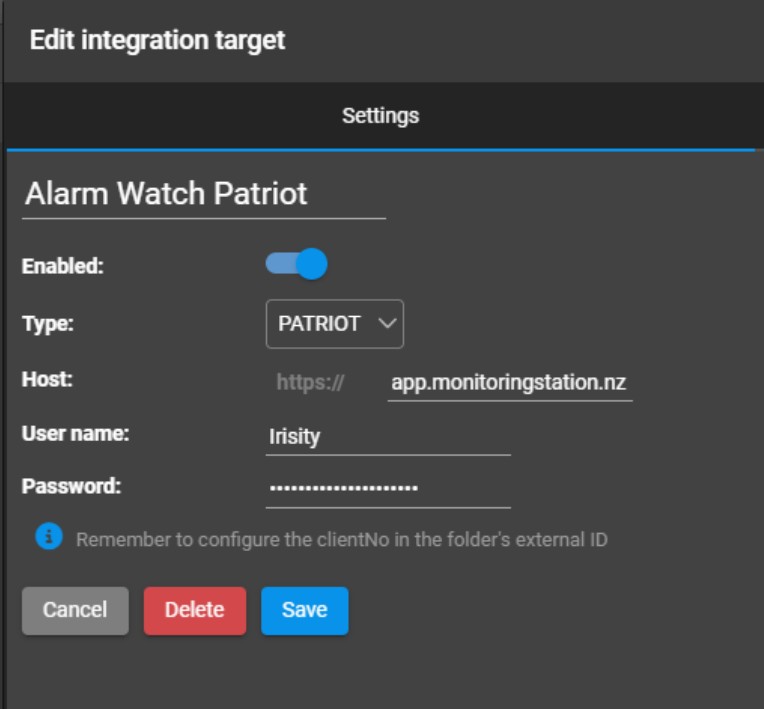
Once cameras are configured you will need to Create a new integration Target Under Settings > Integration Targets > Add. Select “Patriot” as the Type
The Target URL will be: app.monitoringstation.nz
Alarm Watch will provide you a Unique User name and Password for use with Irisity
I don’t have this information yet, take me straight to the sign up form – Click Here
Once the above has been setup you will need to navigate to the Site Folder containing your configured cameras.
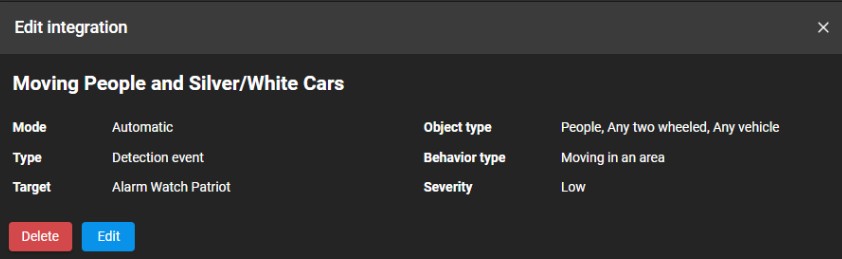
Select the Integrations Icon and then Add
Set the Type, Object Type, Behavior Type and Severity for the Integration and Chose the Target As Patriot
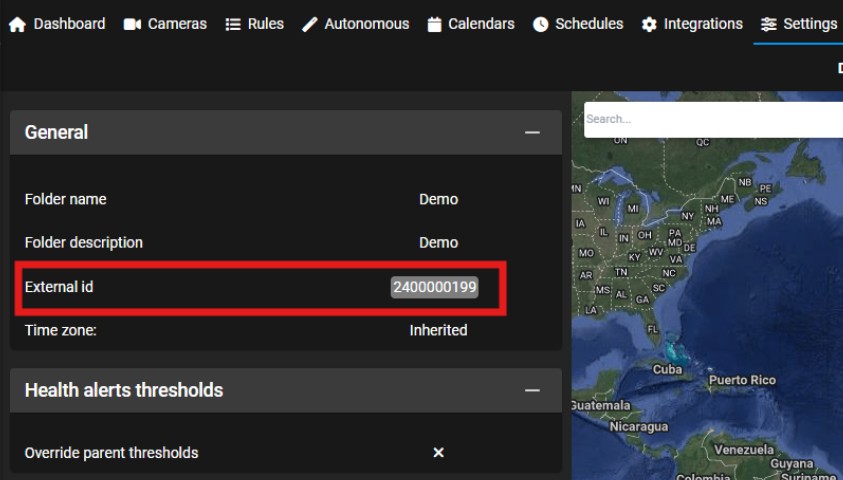
To Configure the account number that the camera alert events will be sent to navigate to the Folder the cameras are configured under and select “Settings”
Edit the Settings
Enter the 4 Digit Account Number provided by Alarm Watch followed by 000199 into the “External id” field and Save.