
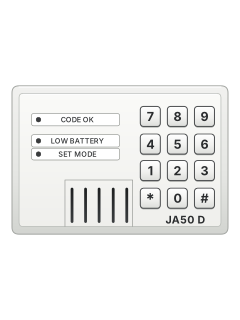
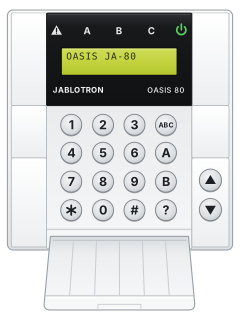
JA-50DWireless keypad

Jablotron JA-50 manuals
Start hereJA-50 USerUser guide · 2 pages · 87 KBRead it nowKeypad cheat sheet
Arm (away)your code
- Close all windows and keep pets out of rooms with motion detectors.
- Press the button on your remote, or key in your code on the JA-50D wireless keypad.
- The JA-50K control panel beeps once and its ARM light blinks slowly while the exit delay runs (20 seconds unless your installer changed it).
- Then the ARM light stays on and every zone is armed. A detector reacts again 5 minutes after it last went off, so about 5 minutes after you leave.
- Lost the remote? Turning the panel's key to ARM also arms it, but then only the key can disarm it.
Disarmyour code
- Coming in through a delayed zone starts the entry delay: the ARM light blinks fast and the panel's buzzer sounds, unless it has been turned off.
- Press your remote's button, or key in your code on the JA-50D. The panel beeps twice and the ARM light goes out.
- Three beeps instead of two? Check the panel's lights for a message.
- An alarm sounding? The same stops it, and the panel shows which zone set it off.
- No remote? Turn the key to ARM, then back to STAND BY.
Alarm memory
- After an alarm, one of the four red zone lights on the panel blinks to show which zone went off. Check the house.
- The memory clears the next time you arm.
- If the 24H zone keeps going off, a detector may have been tampered with. Turn the key to SERVICE and check your detectors.
Pages 1 and 2 of the JA-50 USerPages 5, 7 of the JA-50 InstallerDELAY A delayed zone: one that starts the entry delay INST. An instant zone 24H. The 24-hour zone: a detector's tamper switch, or a panic FIRE A fire zone, such as the JA-50S smoke detector Panic alarmyour code
- On the JA-50D, enter your panic code; this is the panic code set for your keypad.
- A panic sets off the 24H zone, which is on whether the system is armed or not, so the alarm sounds.
- Stop it the same way as any alarm: your remote's button or your code.
Pages 1 and 2 of the JA-50 USerRemote control Hold its button down for more than 2 seconds JA-50D keypad Key in the panic code. The keypad can also raise a panic after too many wrong codes, if set up Trouble lights
- These are the lights on the JA-50K control panel, the box with the key switch.
- Three beeps instead of two when you disarm mean the panel has something to tell you: check these lights.
- L.BATT lit? Set off each detector in turn (walk past a motion detector): the one whose own light flashes needs a new battery.
- To change it, turn the key to SERVICE, fit the battery, close the detector, wait a minute, then turn the key back to STAND BY.
- Use good alkaline batteries, and keep the key out of the panel.
Pages 1 and 2 of the JA-50 USerPOWER (green) on The mains adaptor is working ERROR (red) on steady The panel is in service mode (key at SERVICE) ERROR blinking, POWER off Running on the backup battery only L.BATT (yellow) lit or blinking A detector's battery is low ARM steady, slow or fast blink Armed, exit delay or entry delay DELAY, INST., 24H. or FIRE blinking An alarm happened in that zone
Why is my keypad beeping or showing a trouble light?
Most keypads beep or light up a trouble indicator when something needs attention, such as a low backup battery, a power cut or a lost phone or internet connection. Your user guide explains what each light or code means on your model. If it keeps happening, or you are not sure, call your installer or monitoring company.
All Jablotron JA-50 manuals
User guides 1
Installer manuals 1
Nothing here matches that.
Try a shorter search, or search every brand.
More Jablotron models
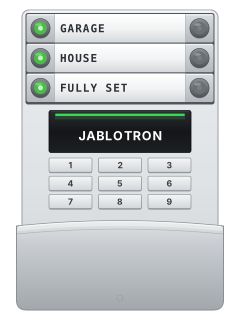
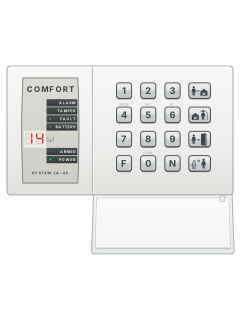
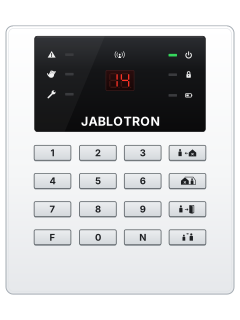
Is anyone watching your alarm?
An alarm that only makes a noise relies on someone hearing it. A monitored alarm reports to our A1 graded, NZSA approved control room, watched 24/7 by a team that is New Zealand owned and operated. We can monitor most existing alarms, so you may not need a new one. Thinking about a new alarm or security cameras? Ask us for a quote.
Prefer to talk now? Call us on 0800 339 999.
Home: alarm monitoringBusiness: business monitoringInstaller: bureau monitoring


Manuals are the property of their manufacturers and are provided for reference only; their inclusion here does not imply any endorsement by the manufacturer.