
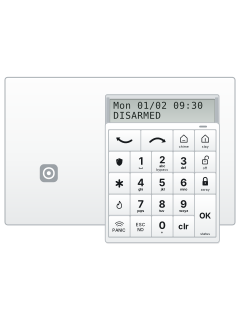
WMB wall-mount badge keypad
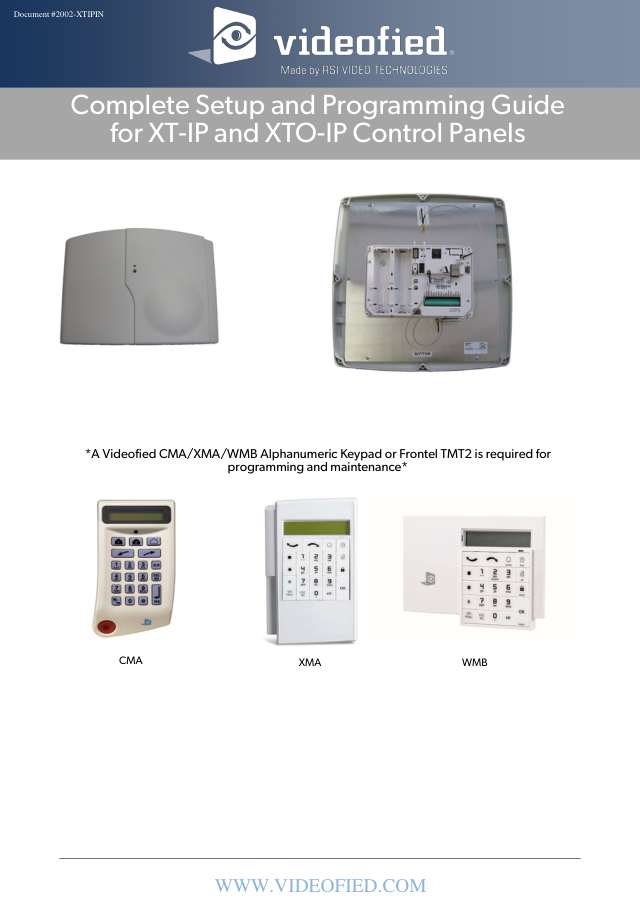
Videofied XT IP730 manuals
Start hereXTIP730-XTOIP Programming Manual - 03 80 06 xxxxProgramming · 39 pages · 2.8 MBRead it nowXT-IP730 with XMA or WMB keypad cheat sheet
Arm (away)your codeOKoryour codeawayorholdaway
- Key in your code, then press OK or away (the closed padlock). The display says ARMING THE SYSTEM.
- Quick arm: hold away until the keypad beeps fast three times. It shows SYSTEM ARMING AWAY.
- The keypad beeps through the exit time. Then SYSTEM ARMED shows and the keypad's LED flashes red every 2 seconds.
- DETECTION and a device name means a device went off while arming: press OK to try again, or ESC/NO to bypass it.
- Remote: press ON and let go. Two beeps confirm; one low tone means the panel didn't hear it.
Arm while homeyour codestayorholdstay
- Stay arms the part-arming mode your installer set up, called SP1 on the display.
- Key in your code, then press stay. The display says ARMING SP1.
- Quick: hold stay until the keypad beeps fast three times.
- The exit time runs as for Away, then SYSTEM ARMED shows.
Disarmyour codeOKoryour codeoff
- Key in your code, then press OK or off (the open padlock). DISARMED shows, with the date and time.
- Or hold off until the keypad beeps fast three times, then key in your code and press OK.
- If something happened while armed, the event shows first: press OK, then OK again after the device name.
- Remote: press OFF and let go after the first beep. Two beeps confirm.
Bypass a zonehold2thenyour codeOK
- Hold 2 (marked bypass) until the keypad beeps fast three times. BADGE OR CODE shows for 10 seconds.
- Key in your code and press OK.
- Find the device with the arrow keys (the two curved arrows at the top) and press OK. Do the same for any others.
- They're bypassed at the next arming, and the display says ARMING BYPASS SYSTEM. Not armed within 24 hours? They go back to normal.
Chime on or offholdchime
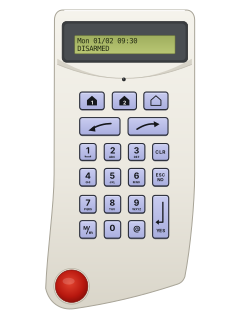
- Hold chime (the labelled house key, top row) until the keypad beeps fast three times.
- The display says CHIME ACTIVATED or CHIME DEACTIVATED.
- The chime only sounds through an indoor siren learned into the system.
Panic alarmholdPANICthenthe key with a shield on itorholdPANICthenthe key with a flame on itorholdPANICthenthe key with a star on it
- Hold PANIC for 3 seconds. The police, fire and medical symbols flash on the display for 10 seconds.
- While they flash, press the key with the symbol you need. They are in the left column: the table shows which is which.
- The display shows the request, for example POLICE BADGE OR CODE. A valid code or badge clears it.
- Under threat, use your code plus 1 for a silent duress alarm, or plus 2 for a loud one (1234: 1235 or 1236).
Pages 6, 10 of the Videofied -Users ManualKey with a shield (badge) Police emergency Key with a flame Fire emergency Key with a star (*) Medical emergency Trouble messagesholdOK
- Hold OK until the keypad beeps fast three times.
- The display lists devices in trouble and any reporting path with a problem, or READY TO ARM if all's well.
- Scroll with the arrow keys, or press OK to go back.
Page 9 of the Videofied -Users ManualREADY TO ARM No faults found ETHERNET BAD or 2G3G BAD A problem with that way of reporting DEVICE TAMPER The device shown has been tampered with SUPERVISION PROBLEM Check the device shown: it isn't talking to the panel, or it's open
All Videofied XT IP730 manuals
Installer manuals 1
Nothing here matches that.
Try a shorter search, or search every brand.
More Videofied models
Is anyone watching your alarm?
An alarm that only makes a noise relies on someone hearing it. A monitored alarm reports to our A1 graded, NZSA approved control room, watched 24/7 by a team that is New Zealand owned and operated. We can monitor most existing alarms, so you may not need a new one. Thinking about a new alarm or security cameras? Ask us for a quote.
Prefer to talk now? Call us on 0800 339 999.
Home: alarm monitoringBusiness: business monitoringInstaller: bureau monitoring


Manuals are the property of their manufacturers and are provided for reference only; their inclusion here does not imply any endorsement by the manufacturer.