
ADE manuals
Keypad cheat sheet
Arm (away)your code
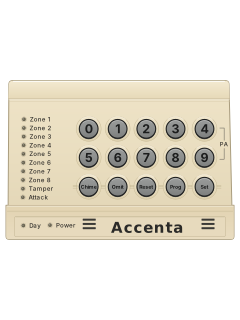
- Accenta calls arming 'setting'. Check the green Day light is on.
- Key in your code and check no Zone lights are showing. The exit tone starts.
- Leave by your usual route. The system sets when the tone stops; wait for that before you assume it's set.
- Something open? A broken beep tone sounds and the zone shows. Key in your code again to stop, or omit the zone.
- A Push To Set button outside, if fitted, finishes setting as you leave: the tone stops and a chime sounds.
Arm while homeyour codeProg2oryour codeProg3
- Your installer can set up to 3 programs, such as Full Set, Evening Set and Night Set, each with its own zones.
- Key in your code; the exit tone starts. Press [Prog] (the tone stops), then [1], [2] or [3] for the program you want.
- The sounder beeps the program number and the exit tone carries on. It sets when the tone stops.
- An 'Immediate' program sets silently at once, for when you're staying in. [Set] during the exit tone also sets straight away.
- Choose no program and Program 1 sets, normally the whole system.
Disarmyour code
- Accenta calls disarming 'unsetting'. Key in your code; the green Day light comes on.
- After an alarm, your code turns it off and the cause shows. Press [Reset] to clear the display.
- If your system is 'engineer reset', the keypad locks after an alarm until an engineer resets it.
- With anti-code reset, [Reset] shows a 4-digit quote code on the Zone lights. Ring your engineer or monitoring centre with it.
- If no call-out is needed, they give you a 6-digit code that resets the system.
Bypass a zoneyour codeOmitzoneSet
- Accenta calls bypassing 'omitting'. Each detector or door contact is a zone. Omit during the exit tone.
- After your code (and program), press [Omit]. The tone stops and the zones about to set light up.
- Key in each zone number to omit; it flashes. Zones that stay steady will still set.
- Press [Set] and the exit tone carries on. (For a quick set with zones omitted, press [Set] twice.)
- A zone your engineer has set so it can't be omitted gives a reject tone instead.
Alarm memoryProgyour codeChime
- Press [Prog] (all lights show), key in your code (the Tamper light shows), then press [Chime].
- The last 8 alarms scroll past with a beep each. [1] shows the newest, [2] the one before, through to [8] the oldest.
- In each alarm, a flashing light is the first zone that triggered; steady lights triggered after. The Day light means it happened while unset.
- Press [Reset] to stop, then [Reset] again. The Day light shows.
Chime on or offChimezoneReset
- While unset, a chime zone that is set off gives a quiet two-stage warning tone, and its Zone light shows.
- Press [Chime]. The Day light goes off and the zones already on chime light up.
- Key in a zone number to add it or take it off. [0] takes every zone off chime.
- Press [Reset]; the Day light shows. [Reset] also clears a chime zone's light.
Panic alarm4+9
- Keys [4] and [9] are marked PA. Press them together for a full alarm.
- It works whether the system is set or unset, and the keypad shows it with the Attack light.
- Your engineer can make it silent or switch it off. From the factory it's on and not silent.
Change a codeProgyour code8new codeReset
- User 1 (the manager code) can change user 2 and the duress code too. User 2 can change only their own.
- Press [Prog] (all lights show), key in your code (the Tamper light shows), then [8] for your own code, [7] for user 2 or [9] for duress.
- Zone lights 1 to 4 show. Key in the new 4-digit code (user 1 can press [Omit] to remove one). Rapid blips, then the Tamper light shows.
- Press [Reset]; the Day light shows. A dull low tone means the code was refused, maybe because it's in use.
- Change user 1's factory code straight away; your engineer can tell you if it's still set.
Test the systemProgyour code0
- Press [Prog], your code, then [0]. The Tamper and Attack lights show.
- [1] set test, [2] strobe, [3] outside bell, [4] quiet inside sounder, [2] then [4] loud inside sounder. [0] stops each.
- [5] is the walk test: Zone lights show and the sounder beeps as you trip each detector.
- Panic (PA) buttons stay live during the walk test, so don't press them.
- Press [Reset] twice. The Day light shows.
Trouble lights
- Normally only the green Day and red Power lights show while unset.
- A tamper while unset sounds the inside sounders only. Key in your code: they stop and the Tamper light shows.
- The system won't work until a tamper or panic (PA) fault is put right, so call your engineer.
- A phone line fault doesn't stop you setting and unsetting, but report it to your engineer straight away.
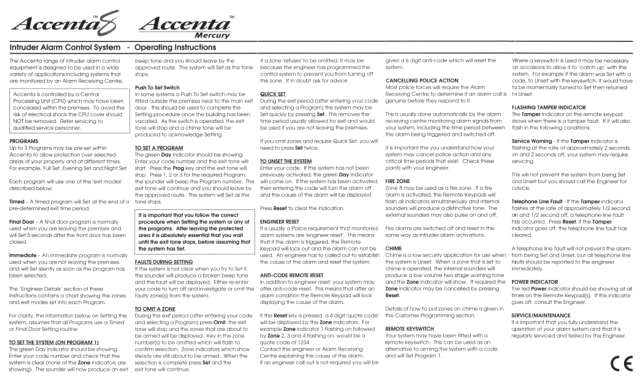
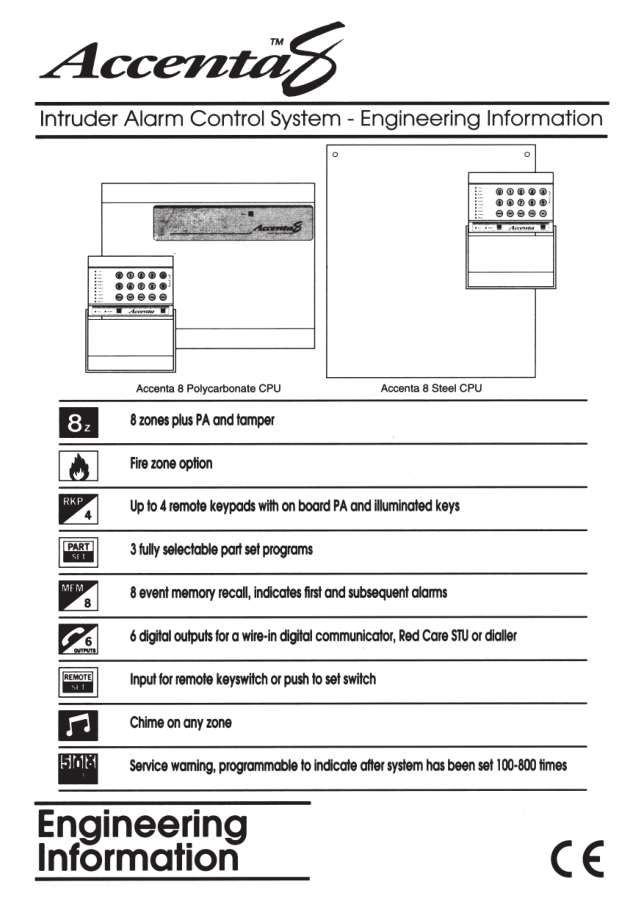
Pages 1 and 2 of the ADE Accenta 8 and Accenta Mercury Operating InstructionsPages 5 and 6, 9, 11 and 12 of the ADE Accenta 8 Engineering InformationPower light off It should always be on: call your engineer Tamper on A tamper fault Tamper flashing slowly (2 s on, 2 s off) Servicing may be due: call your engineer. Setting still works Tamper flashing fast (half a second) Phone line fault: press [Reset]; if Tamper goes off, it has cleared All lights flashing, special tone Fire alarm on zone 8, if it's set up as a fire zone Attack Panic (PA) alarm
Every ADE manual
Installer manuals 1
Nothing here matches that.
Try a shorter search, or search every brand.











Is anyone watching your alarm?
An alarm that only makes a noise relies on someone hearing it. A monitored alarm reports to our A1 graded, NZSA approved control room, watched 24/7 by a team that is New Zealand owned and operated. We can monitor most existing alarms, so you may not need a new one. Thinking about a new alarm or security cameras? Ask us for a quote.
Prefer to talk now? Call us on 0800 339 999.
Home: alarm monitoringBusiness: business monitoringInstaller: bureau monitoring


Manuals are the property of their manufacturers and are provided for reference only; their inclusion here does not imply any endorsement by the manufacturer.