
Brinks BHS-3000C manuals
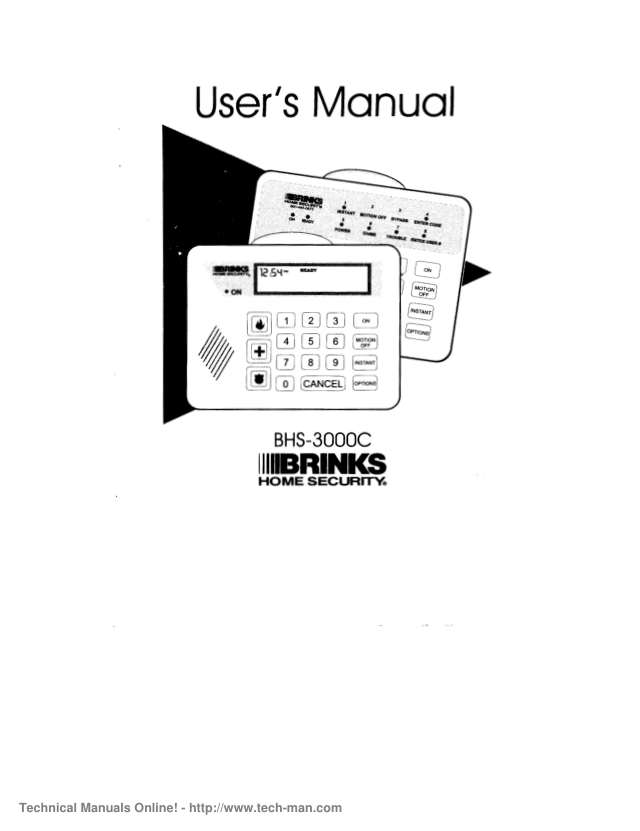
Start hereBrinks BHS-3000C User's ManualUser guide · 63 pages · 1.6 MBRead it nowKeypad cheat sheet
Arm (away)ON
- Close all doors and windows. The READY light must be on (READY in the message window of a Premium keypad).
- Press ON. The ON light blinks while the exit delay runs; a Premium keypad counts down the seconds.
- Leave by a designated entry/exit door before the delay ends.
- Once the ON light stops blinking, opening a door sets off the alarm. To go back out, key in your code and start again.
- Not ready? Pressing ON gives an error tone and the system stays off: see Bypass a zone.
Arm while homeONMOTION OFF
- Brink's calls this Motions Off: doors and windows stay protected but the motion detectors are off, so you can move about.
- With READY on, press ON, then MOTION OFF no more than 5 seconds later.
- The ON light blinks. Standard keypad: the MOTION OFF and ON lights come on. Premium: ON, MOTION OFF shows.
- Press INSTANT after MOTION OFF to make the delay doors instant: opening one then sets off the alarm at once.
- ON then INSTANT keeps the motion detectors on as well, for when nobody moves about. In instant modes, turn it off before going out.
Disarmyour code
- Come in through a designated entry door. The keypad sounds a reminder tone and the ON light blinks.
- Key in your code before the entry delay ends. The ON light goes out.
- Set it off by mistake? Key in your code and press CANCEL within 20 seconds. A Premium keypad shows ALARM CANCELED.
- A real alarm to report? Key in your code without CANCEL, then wait for your monitoring company's call with your code word ready.
- A real emergency while it sounds? Leave the system on. If it's a fire, get everyone out safely.
Bypass a zoneOPTIONS1zone
- A bypassed zone is ignored while the system is on, and isn't protected. The bypass ends when you turn the system off.
- Standard keypad: press OPTIONS, then 1, then the zone number. The keypad beeps and the READY and BYPASS lights come on.
- Premium keypad: press OPTIONS until BYPASS, ENTER ZONE # shows, then key in the zone number. It then reads READY, BYPASS.
- Which zone is open? Standard: OPTIONS then 7 blinks its light for 5 seconds. A Premium keypad shows the number.
- The pop-up zone card on the keypad tells you where each zone is.
Alarm memoryOPTIONS4your code
- Standard keypad: press OPTIONS, then 4. When the ENTER CODE light blinks, key in your code.
- The keypad beeps and the lights of the zones last in alarm blink.
- Premium keypad: press OPTIONS until ALARM MEMORY, ENTER CODE shows, then key in your code. It lists the zones.
- After an alarm while you were out, your code turns the system off; the keypad shows the zones and beeps every 3 seconds.
- Press CANCEL to stop the beeping and clear the alarm memory.
Chime on or offOPTIONS2your code
- Door chime makes the keypad beep when a protected door or window opens while the system is off.
- Standard keypad: press OPTIONS, then 2, then key in your code. The READY and CHIME lights stay on while chime is on.
- Premium keypad: press OPTIONS until DOOR CHIME, ENTER CODE shows, then key in your code. It reads READY, DOOR CHIME.
- Do the same again to turn it off. No beep at all? Chime may have been switched off when it was installed.
Panic alarmthe key with a flame on itorthe key with a cross on itorthe key with a shield on it
- The three emergency keys sit left of the number keys and carry pictures, not words. The system can be off.
- Press the key once. Some systems need a second press within 3 seconds.
- Pressed one by accident? Press CANCEL, then key in your code.
Pages 12 and 13, 15 of the Brinks BHS-3000C User's ManualFlame key Fire: the siren sounds and a signal goes to your monitoring company Cross key Medical: the keypad beeps and a signal goes to your monitoring company Badge key Police: the siren sounds and a signal goes to your monitoring company Change a codeOPTIONS3master codeuser numbernew code
- You can add auxiliary codes, users 1 to 91. To change the master code, ask your alarm company.
- Standard keypad: press OPTIONS, then 3. Premium: press OPTIONS until AUXILIARY CODES, ENTER MASTER CODE shows.
- Key in the master code, then the user number (1 to 91), then the new code. The keypad beeps after each.
- To delete a code, press CANCEL instead of keying in a new code.
- Check it: turn the system on, then off with the new code.
Test the systemOPTIONS5your code
- Siren and signal test. Standard: press OPTIONS, then 5. Premium: press OPTIONS until TEST, ENTER CODE shows. Then key in your code.
- A test signal goes to your monitoring company. If it arrives, the siren sounds briefly. Nobody calls you.
- No beep or blast, and TROUBLE lights up (Premium: CP TROUBLE)? The test failed: call your alarm company.
- Sensor test, no signal sent: OPTIONS, 2 (Premium: until DOOR CHIME), then 2, 4 and hold 7 for 3 seconds. With 4-digit codes: 2, 4, 7, hold 0.
- Open each protected door and window and walk past the motion detector: the siren blasts each time. Press CANCEL when done.
Trouble lightsOPTIONS9
- Standard keypad: with the TROUBLE light on, press OPTIONS, then 9. A zone light blinks: see the table.
- Press OPTIONS, 9 again for more: light 1 blinking is an upload/download failure, light 2 no mains power.
- Premium keypad: the message window shows the trouble, such as NO AC, LOW BATT or CP TROUBLE.
- Press CANCEL to silence the trouble beeps. A communication problem beeps four times a minute.
- No mains power: check the power transformer is plugged in and no breaker is off. If a trouble doesn't clear, call your alarm company.
Pages 35 to 38, 40 and 41 of the Brinks BHS-3000C User's ManualZone light 1 Low battery. After a power cut it can take 24 hours to recharge Zone light 2 Communication problem: an alarm or test signal didn't get through. Check your phone has a dial tone Zone light 3 Zone trouble, such as a dirty smoke detector or a broken wire. It may reset within 30 minutes Zone light 4 Call your alarm company Zone light 5 A component has failed Zone light 6 Siren failure Zone light 7 Radio (RF) interference: turn off nearby cell or cordless phones Zone light 8 Phone line cut (optional feature)
Why is my keypad beeping or showing a trouble light?
Most keypads beep or light up a trouble indicator when something needs attention, such as a low backup battery, a power cut or a lost phone or internet connection. Your user guide explains what each light or code means on your model. If it keeps happening, or you are not sure, call your installer or monitoring company.
All Brinks BHS-3000C manuals
User guides 1
Installer manuals 1
Nothing here matches that.
Try a shorter search, or search every brand.
Is anyone watching your alarm?
An alarm that only makes a noise relies on someone hearing it. A monitored alarm reports to our A1 graded, NZSA approved control room, watched 24/7 by a team that is New Zealand owned and operated. We can monitor most existing alarms, so you may not need a new one. Thinking about a new alarm or security cameras? Ask us for a quote.
Prefer to talk now? Call us on 0800 339 999.
Home: alarm monitoringBusiness: business monitoringInstaller: bureau monitoring


Manuals are the property of their manufacturers and are provided for reference only; their inclusion here does not imply any endorsement by the manufacturer.