
Menvier TS2500 manuals
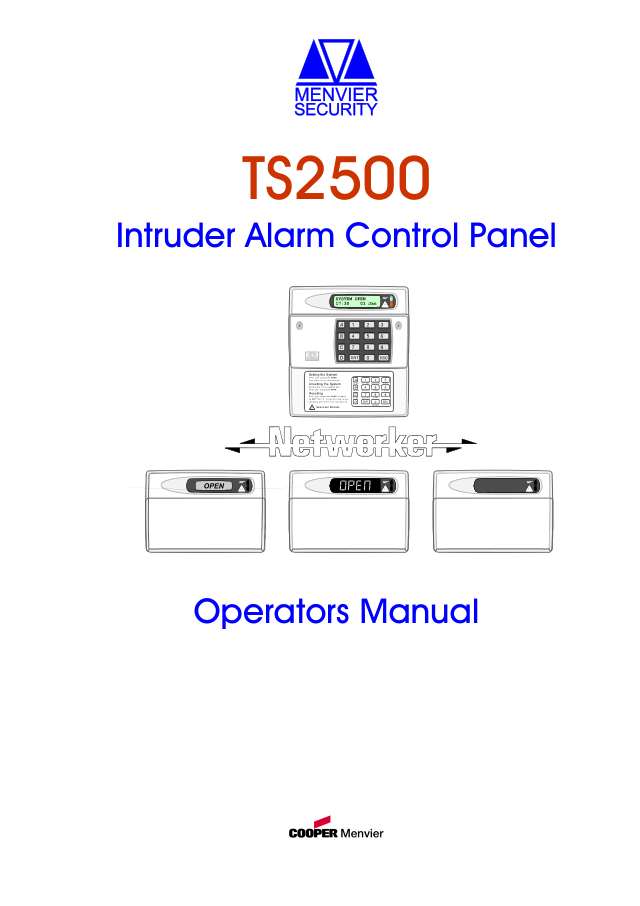
Start hereMenvier TS2500 Operators Manual 496496User guide · 48 pages · 3.3 MBRead it nowKeypad cheat sheet
Arm (away)your code0
- Menvier calls arming setting, and calls each area a ward. Close the doors and windows and clear the area.
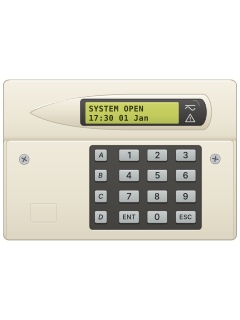
- Key in your passcode. 0=SET WARDS shows: press 0 (or 8 to set with no exit tone).
- With several wards, pick them with 1 to 8 (A or C switches to wards I to P), then press ENT.
- Leave by your exit route while the inside sounder sounds. Close the final door and press the exit button, if fitted.
- When the sounder stops, it's set. If it turns to an alarm tone, go back in and key in your passcode to see what failed.
Arm while homeyour codeB
- Part setting sets one of up to 10 ready-made groups of wards, each with its own name.
- Key in your passcode, then press B for the part set groups.
- Press the required group number (1 to 9, or 0). Check its name and the wards shown before setting.
- Press ENT to set it. The exit sounder runs as for full setting.
- To part unset: key in your passcode, press B, pick the group and press ENT.
Disarmyour code
- Menvier calls disarming unsetting. Come in by your entry route: the inside sounder starts.
- Go straight to the keypad and key in your passcode. The sounder stops.
- Several wards? The ward you came in through is shown: add others with 1 to 8, then press ENT before the entry time ends. The sounder then stops.
- Too late? An alarm tone sounds and a second entry time starts. When that runs out, a full alarm follows.
Bypass a zoneyour codeENT7ENTzoneB
- Menvier calls bypassing omitting. Each detector is on a circuit with its own 4-digit number, such as 1001.
- Key in your passcode, press ENT, then 7 and ENT (Omit circuits). Circuit 0001 shows.
- Key in the circuit number, or scroll with A and C. Press B to switch it between armed and omitted. ESC when done.
- To set, key in your passcode and press 0 at SET WITH OMITS.
- After you unset, use option 7 to switch those circuits back to armed before you set again.
Alarm memoryyour codeB
- After an alarm, key in your passcode as you come in. The display shows the circuit that caused it.
- Press B to switch between the circuit's name and the time and date of the alarm.
- The system then needs a reset. Until then it chimes every minute; your passcode silences it.
Reset after an alarmyour codeESC
- User reset: key in your passcode and press ESC. SYSTEM OPEN shows.
- CALL ENGINEER TO RESET SYSTEM means only the engineer can reset it. Your passcode silences the chime; ring your alarm company.
- Remote reset (CALL A.R.C FOR REM. RESET CODE): key in your passcode and press ENT. Quote the number shown to your monitoring centre.
- If they agree, they give you a 4-digit reset code: key it in and press ENT.
Chime on or offyour codeENT5ENT
- Chime makes a two-tone sound when a circuit set up for chime is triggered.
- Key in your passcode, press ENT, then 5 and ENT. The wards with chime turned on are shown.
- Press 1 to 8 to switch wards A to H on or off (A, then 1 to 8, for wards I to P). Ward A is 1.
- Press ENT to accept, then ESC twice.
Change a codeyour codeENT4ENTnew codeENT
- Key in your passcode, press ENT, then 4 and ENT (Change passcode).
- Key in your new passcode and press ENT. NOT ACCEPTED means try a different code.
- Press ESC to finish.
- Passcodes are 4 or 6 digits. With 6 digits, the last two are always your user number (user 001 ends in 01).
Test the systemyour codeENT2ENTENT
- Walk test: key in your passcode, press ENT, then 2 and ENT. The wards to test are shown.
- Change them with 1 to 8 if you need to, then press ENT to start.
- Walk round and set off each detector. Each one chimes and shows on the display. Press ESC when finished, then ESC twice more.
- Bell test: passcode, ENT, 1, ENT, then ENT to start. ENT steps through bell, bell and strobe, strobe, then the inside sounder; ESC ends it, then ESC twice.
Trouble messages
- The green power light flashes when there's no mains power, and is steady when there is.
- If a fault comes with an alarm tone inside, key in your passcode to silence it.
- Most faults can stop you setting: call your alarm company if one doesn't clear.
- Sorry, cannot set means something is stopping it, such as a tamper or a circuit in fault. The display says what.
Pages 9, 35 to 38 of the Menvier TS2500 Operators Manual 496496PHONE LINE FAULT The signalling device has a phone line fault MAINS POWER OFF No mains power: running on the standby battery BATTERY FAULT The standby battery has a fault PANEL LID TAMPER / BELL TAMPER The control panel or outside sounder lid is off AUX FUSE BLOWN The fuse powering the detectors has blown SERVICE REQUIRED A service visit is due; the system still works CODE TAMPER Too many wrong passcodes: the keypad unlocks after 5 minutes SYSTEM IS BUSY Someone else is using the system: wait for it to clear
Why is my keypad beeping or showing a trouble light?
Most keypads beep or light up a trouble indicator when something needs attention, such as a low backup battery, a power cut or a lost phone or internet connection. Your user guide explains what each light or code means on your model. If it keeps happening, or you are not sure, call your installer or monitoring company.
All Menvier TS2500 manuals
Nothing here matches that.
Try a shorter search, or search every brand.
More Menvier models
Is anyone watching your alarm?
An alarm that only makes a noise relies on someone hearing it. A monitored alarm reports to our A1 graded, NZSA approved control room, watched 24/7 by a team that is New Zealand owned and operated. We can monitor most existing alarms, so you may not need a new one. Thinking about a new alarm or security cameras? Ask us for a quote.
Prefer to talk now? Call us on 0800 339 999.
Home: alarm monitoringBusiness: business monitoringInstaller: bureau monitoring


Manuals are the property of their manufacturers and are provided for reference only; their inclusion here does not imply any endorsement by the manufacturer.