

DMP XT30 / XT50 manuals
Start hereXT30/XT50 System User Guide LT-0982User guide · 51 pages · 1.3 MBRead it nowKeypad cheat sheet
Arm (away)hold1
- Shortcut on Home/Sleep/Away and All/Perimeter systems: hold [1] for 2 seconds, until the keypad sounds a tone.
- Or key in your code and press the select key under AWAY (under ALL on an All/Perimeter system, where ALL SYSTEM ON shows).
- Area systems: press CMD until ARM DISARM shows, select ARM (key in your code if the keypad asks), then select YES at ALL? NO YES to arm all your areas.
- Touchscreen keypads: press the shield to see the arming choices. On an area system pick ARM, then Arm All.
- A zone with a problem shows its name and OK BYPASS STOP. Select STOP, close the door or window, then start again.
Arm while homehold3orhold7orhold6
- HOME arms the perimeter of the building, for when you're staying inside.
- SLEEP arms the perimeter and part of the inside, but leaves the bedroom areas off.
- Shortcuts: hold [3] for HOME, [7] for SLEEP or [6] for PERIM, for 2 seconds, until a tone sounds.
- Or key in your code, then press the select key under HOME or SLEEP.
- All/Perimeter system: press the select key under PERIM instead. PERIMETER ON shows.
Disarmthe key with a shield on ityour code
- Touchscreen keypads: press the shield and key in your code. A keypad with a prox reader also disarms when you present your prox key.
- Thinline keypads: press CMD until ARM DISARM shows, then the select key under DISARM. Key in your code if the keypad asks.
- At ALL? NO YES, select YES to disarm every area you're allowed, or NO to go through them one by one.
- Alarm sounding? Key in your code, or present your prox key if the keypad has a reader. IS THIS A FALSE ALARM? (or CANCEL VERIFY) shows.
- False alarm: select YES or CANCEL and the system disarms. Real alarm: select NO or VERIFY to alert the monitoring centre; it stays armed.
Bypass a zone
- Each detector or door contact is a zone. A zone with a problem shows OK BYPASS STOP when you arm.
- Fire, panic, emergency, supervisory, flood, temperature and 24-hour zones can't be bypassed.
- Ahead of time, with a Standard or Master code: press CMD until MENU? NO YES shows, select YES, key in your code, press CMD.
- Press CMD until BYPASS ZONES? shows, then a select key, and key in the zone number.
Pages 23, 35 and 36, 39 of the XT30/XT50 System User Guide LT-0982OK BYPASS STOP BYPASS leaves the zone out as the system arms. OK arms it anyway; it rejoins once it's back to normal. STOP stops arming ZONE: - RST BYPS After the zone number, BYPS bypasses that zone and RST resets it Chime on or offhold5orChime
- DMP calls chime Zone Monitor: the keypad sounds and shows ALERT when a watched door or window opens.
- Thinline keypads: the chime shortcut is [5]. Hold it for 2 seconds, until a tone sounds.
- Touchscreen keypads: press Chime in the carousel menu to turn it on or off. A chime icon at the top means it's on.
- To choose zones: press CMD until MENU? NO YES, select YES, key in your code, press CMD. Then CMD until ZONE MONITOR?, and a select key.
- Press the select key under PERIM, then under ADD for all perimeter zones or RMV to take them off. NBR picks one zone.
Reset smoke detectorshold2thenyour codeorReset
- A fire or panic sensor that has gone off needs a reset before it can sense again.
- Thinline keypads: hold [2] for 2 seconds, then key in your code.
- Touchscreen keypads: press Reset in the carousel menu.
- Or in the user menu, press CMD until SENSOR RESET? shows, then a select key. SENSORS OFF, then SENSORS ON shows.
- Also do a reset after changing the battery in a wireless device.
Panic alarmPanicPoliceorPanicEmergencyorPanicFire
- Touchscreen keypads: scroll the carousel menu to Panic (arrows on the 5-inch, drag on the 7-inch).
- Press Police, Emergency or Fire. A panic report goes to your monitoring company.
Change a code
- You need a Master code. Press CMD until MENU? NO YES shows, select YES, key in your code, press CMD.
- Press CMD until USER CODES? shows, press a select key, then pick CHG.
- Key in the user number and press CMD. At CODE NO:, key in the new 4-digit code (ALREADY IN USE means pick another).
- Keep the name, or press a top-row key and enter a new one. Press CMD to continue.
- Changing someone else's code: at LEVEL?, press a select key and choose their authority level.
Pages 38 to 41 of the XT30/XT50 System User Guide LT-0982ADD DEL CHG CHG changes a user's code; ADD and DEL add or delete a user USER NUMBER The user's number (1 to 30 on an XT30, 1 to 99 on an XT50), not their code Test the system
- Press CMD until MENU? NO YES, select YES, key in your code, press CMD. Then CMD until SYSTEM TEST? shows.
- Press a select key: the test starts by itself.
- Press the back arrow key to finish.
- Weekly, follow it with Zone Monitor: open and close each door and window and listen for the keypad beep.
Pages 36 and 37 of the XT30/XT50 System User Guide LT-0982BELL SOUNDING, then KEYPAD SOUNDING Two-second tests of the siren, then the keypad BATTERY - OKAY or BATTERY - TRBL The battery's condition TRANSMIT OKAY or TRANSMIT FAILED The transmit test's result (local-only systems skip it) TEST END The test is finished Trouble lights
- Many trouble messages come with a keypad tone. The table lists common ones; for others, call your alarm company.
- Touchscreens show a tick at the top when the system is ready to arm. No tick: a door or window may be open.
- On a touchscreen, press the attention list icon at the top to see recorded troubles and the zones affected.
Pages 13, 15, 48 and 49 of the XT30/XT50 System User Guide LT-0982AC TROUBLE No proper mains power. If your other appliances work, call your alarm company BATTERY TROUBLE The backup battery is low or missing: call your alarm company SYSTEM TROUBLE or SERVICE REQUIRED A part of the system has a problem: call your alarm company TRANSMIT FAIL Ten tries to reach the monitoring centre failed: check your phone line works; if it keeps showing, call your alarm company WIRELESS TROUBLE The panel can't talk to its wireless receiver ALERT A chime (Zone Monitor) door or window opened; it clears by itself Blue light blinking (5-inch touchscreen) Disarmed, with a battery trouble Red light blinking (5-inch touchscreen) Armed, with a mains power trouble
Why is my keypad beeping or showing a trouble light?
Most keypads beep or light up a trouble indicator when something needs attention, such as a low backup battery, a power cut or a lost phone or internet connection. Your user guide explains what each light or code means on your model. If it keeps happening, or you are not sure, call your installer or monitoring company.
All DMP XT30 / XT50 manuals
User guides 1
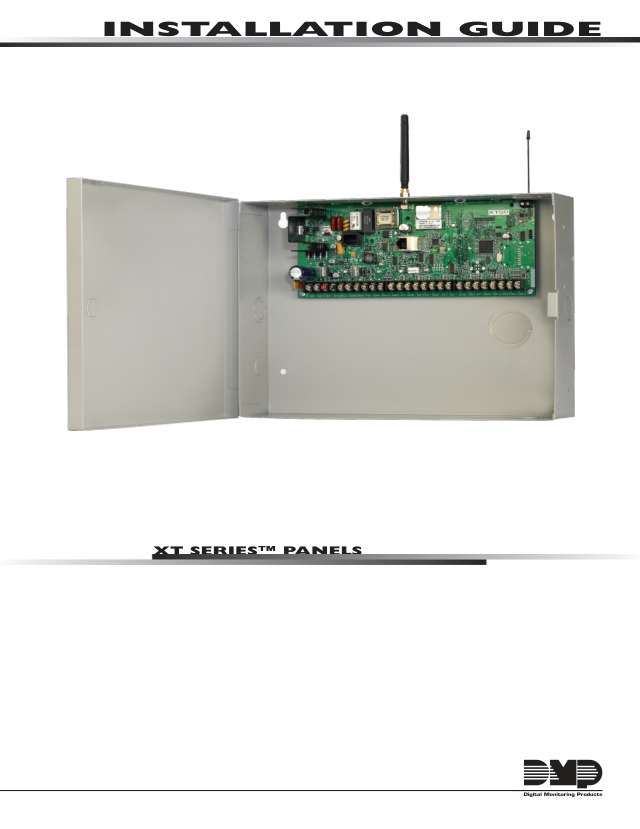
Installer manuals 1
Nothing here matches that.
Try a shorter search, or search every brand.
More DMP models
Is anyone watching your alarm?
An alarm that only makes a noise relies on someone hearing it. A monitored alarm reports to our A1 graded, NZSA approved control room, watched 24/7 by a team that is New Zealand owned and operated. We can monitor most existing alarms, so you may not need a new one. Thinking about a new alarm or security cameras? Ask us for a quote.
Prefer to talk now? Call us on 0800 339 999.
Home: alarm monitoringBusiness: business monitoringInstaller: bureau monitoring


Manuals are the property of their manufacturers and are provided for reference only; their inclusion here does not imply any endorsement by the manufacturer.