
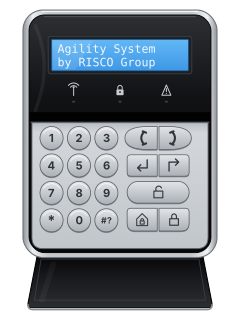
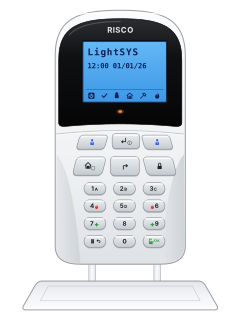
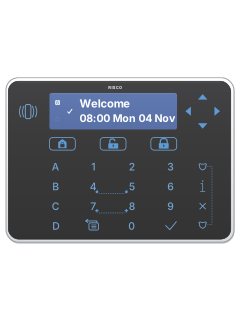
RW132KPWireless LCD keypad

Risco Agility manuals
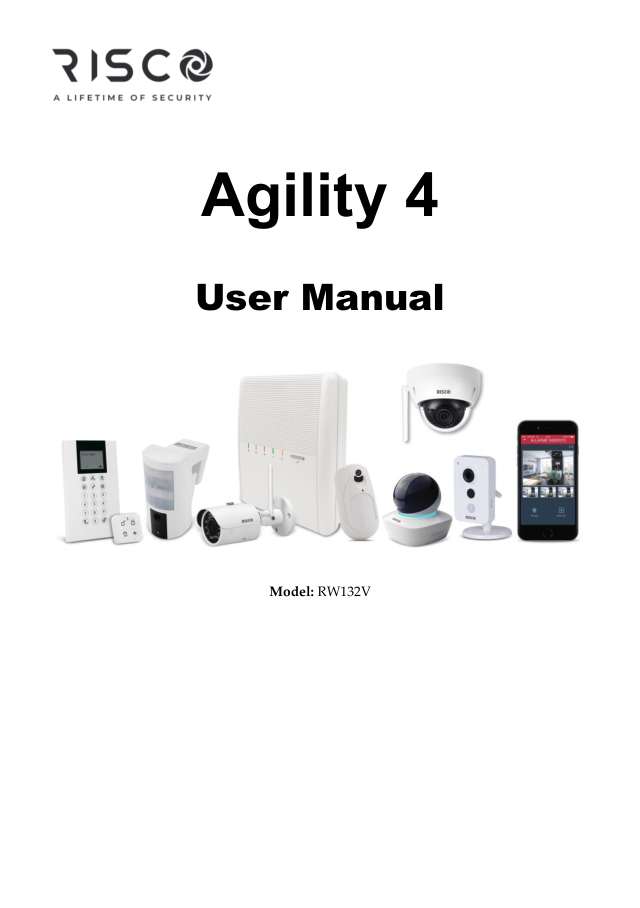
Start hereAgility 4 User ManualUser guide · 52 pages · 1.4 MBRead it nowKeypad cheat sheet
Arm (away)the key with a padlock on it
- Close doors and windows. On an LCD or Panda keypad, the tick (ready) light is on when every zone is closed.
- Press the closed-padlock key. Enter your code or present your tag if asked; code-free arming needs installer setup.
- The panel beeps slowly through the exit delay, and the padlock light flashes slowly (on a slim keypad, the red light). Leave by your exit door.
- When it has armed, that light stays on and the siren gives one chirp.
- Will not arm? LCD: press #? to view status, or hold it to hear it too. Slim: hold #? for 2 seconds. Enter your code if asked.
Pages 1, 3 of the 5IN1868 Agility 3 Quick User GuidePages 10, 13, 15 of the Agility 4 User ManualClosed-padlock key Away (full) arming Padlock light flashing slowly Exit delay: leave now Padlock light on Armed away One siren chirp The system has armed Arm while homethe key with a house on itthe key with a house with a person in it on it
- Agility calls this Stay (Home) arming: part of the house is armed while you stay in the rest.
- Press the house key, then your code or tag if asked. Code-free Stay arming needs installer setup.
- The Stay light comes on (on a slim keypad, the red light).
- With partitions, press 1, 2 or 3 first, then Away or Stay.
Pages 1, 3 of the 5IN1868 Agility 3 Quick User GuidePages 10, 16 and 17 of the Agility 4 User ManualHouse key Stay (Home) arming Stay light on Armed in Stay One siren chirp The system has armed DisarmOKyour codethe key with an open padlock on ityour code
- Press the open-padlock key (wide on the LCD keypad, marked OK on a Panda), then key in your code or hold your tag near the keypad.
- The siren gives two chirps, or four if there was an alarm. Disarming also silences an alarm.
- One partition only: press its number (1 to 3), then the open-padlock key and your code.
- Under threat, on an LCD or Panda keypad: if a duress code has been set up, use it instead of your code. It disarms and sends a silent alarm to the monitoring station.
Pages 2 and 3 of the 5IN1868 Agility 3 Quick User GuidePages 10, 20 to 23 of the Agility 4 User ManualOpen-padlock key Disarm: then your code or tag Two siren chirps Disarmed Four siren chirps Disarmed after an alarm Bypass a zone*your code#?#?
- Each detector or door contact is a zone. A bypassed zone is left out when you arm.
- LCD keypad: press * and key in your code. At Activities press #?, and at Bypass Zone press #? again.
- Scroll to the zone. Press the Stay key (house with a padlock) to change N to Y, then #?. Then arm as usual.
- Panda: our manual gives conflicting confirmation keys for bypass. Ask your installer, or use the app's quick zone bypass.
- The slim keypad's guide has no zone-bypass menu: use the LCD keypad or the app's quick zone bypass.
Pages 19, 27 of the Agility 4 User ManualPage 2 of the 5IN1868 Agility 3 Quick User GuideLCD keypad: * Opens the menu, then your code LCD keypad: #? Selects, like an Enter key LCD keypad: house key Changes N to Y: the zone is bypassed Alarm memoryhold0
- On the LCD and Panda keypads, hold 0 for 2 seconds to see the last alarm on the screen.
- The slim keypad has no screen: see the last alarm in the app's event log instead.
- After an alarm, opening the entry door before you disarm makes the panel say 'Alarm occurred in the system'.
- For the full event log: *, your code, scroll to Event Log and press #?. On a Panda: the gear key, your code, Event Log, then OK.
Chime on or offhold4
- Without a code, hold 4 for 2 seconds. This works on the LCD, Panda and slim keypads.
- An LCD or Panda keypad shows System Chime On or System Chime Off.
- With chime on, the system tells you when a zone opens while it is disarmed.
Panic alarmhold4+5orhold7+8hold1+2orhold3+4orhold5+6the key with a shield on it+the key with a shield on itorhold4+6orhold7+9
- Each keypad uses its own keys, listed below. Press the pair together; hold fire and medical pairs for 2 seconds.
- The panic keys work only if your installer has set them up. Your installer can make the keypad panic silent at the house.
- From a keyfob or remote, a panic is always silent. A keyfob's small button can be set up as a panic button.
Pages 24 and 25 of the Agility 4 User ManualPage 2 of the 5IN1736 D 2-Way Wireless Slim KeypadLCD keypad (RW132KP) Panic: the two phone keys. Fire: 4 and 5. Medical: 7 and 8 Panda keypad Panic: the two police badge keys. Fire: 4 and 6. Medical: 7 and 9 Slim keypad Panic: 1 and 2. Fire: 3 and 4. Medical: 5 and 6, each held 2 seconds Change a code*master code
- For the LCD keypad. On a Panda, the gear key does the job of * and OK the job of #?. The slim keypad's guide has no code menu.
- Disarmed: press *, then the Grand Master code. On Agility 4, press #? next. Scroll to Codes/Tags and press #?.
- Scroll to User Codes and press #?, choose New/Change and press #?, then scroll to the user's number and press #?. 00 is the Grand Master.
- Key in the new code, then again. Accepted shows; three beeps mean they didn't match. On an Agility 3, press #? after the second one.
- Other users can change only their own code.
Trouble lights#?hold#?
- LCD keypad: press #? (and your code, if your system asks) to see the system status on the screen, or hold it to hear it from the panel too.
- If arming shows a trouble message, press #? and scroll for the full list (Panda: the key with the arrow and i).
- Slim keypad: hold #? for 2 seconds, then enter your code if asked, to hear the status. Red means armed; green blinking means a trouble while disarmed.
- The table covers the lights on the LCD keypad and the main panel. A Panda keypad has no power light, but adds cloud and tamper lights.
- A fault can also make the panel beep. Don't open or repair the system yourself: call your installer.
Pages 1, 3 of the 5IN1868 Agility 3 Quick User GuidePages 8 to 11, 13, 18 of the Agility 4 User ManualPower light on Power is fine Power light flashing fast / slowly Mains power trouble / low battery Ready (tick) light on Ready to arm Ready light off / flashing slowly A zone is open / ready, with the entry door open Arm (padlock) light on / flashing slowly / flashing fast Armed / exit delay running / alarm Stay light on Armed in Stay Trouble light (triangle) on or flashing A fault in the system Three quick beeps from the panel It refused what you asked
Why is my keypad beeping or showing a trouble light?
Most keypads beep or light up a trouble indicator when something needs attention, such as a low backup battery, a power cut or a lost phone or internet connection. Your user guide explains what each light or code means on your model. If it keeps happening, or you are not sure, call your installer or monitoring company.
All Risco Agility manuals
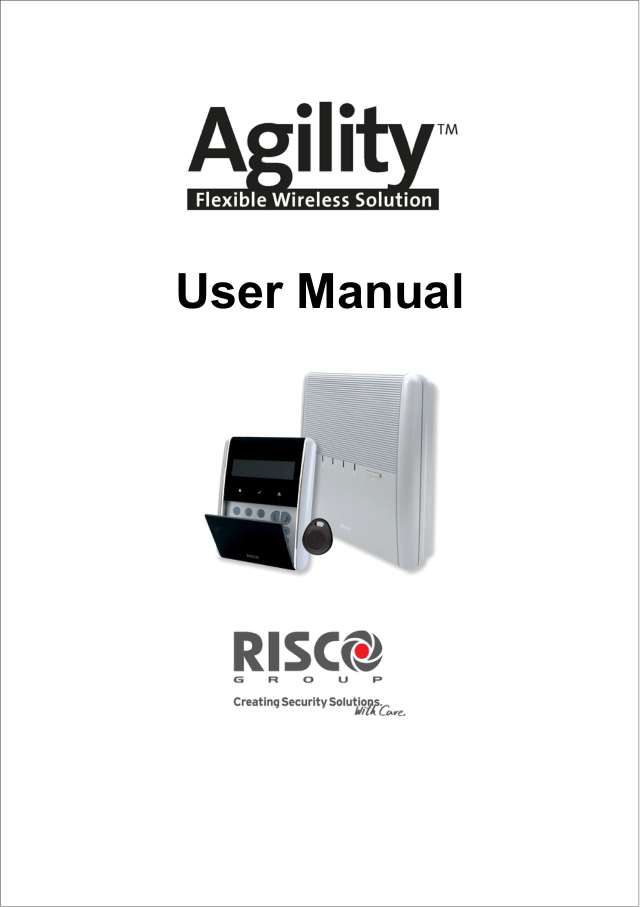
User guides 4
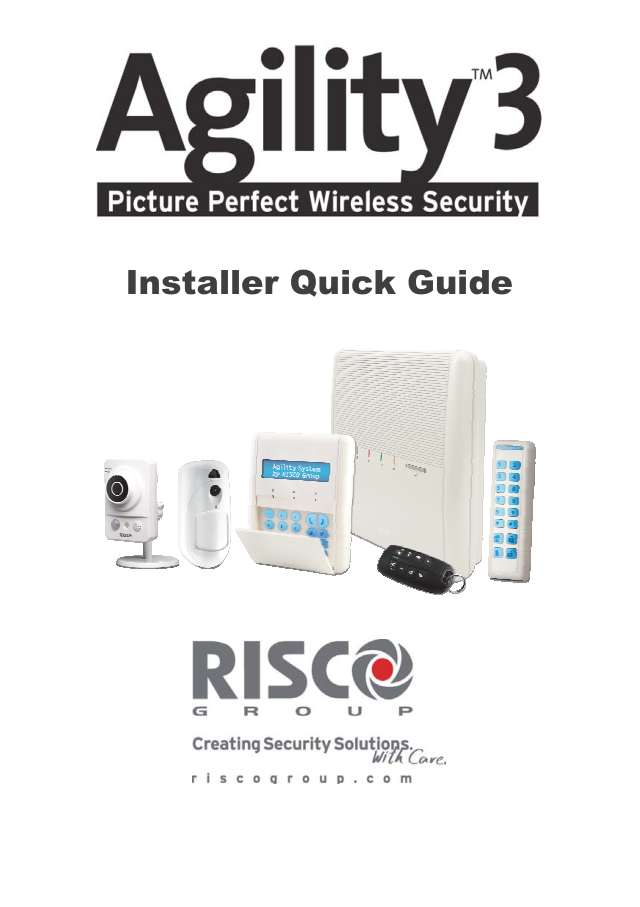
Installer manuals 18
Nothing here matches that.
Try a shorter search, or search every brand.
More Risco models
Is anyone watching your alarm?
An alarm that only makes a noise relies on someone hearing it. A monitored alarm reports to our A1 graded, NZSA approved control room, watched 24/7 by a team that is New Zealand owned and operated. We can monitor most existing alarms, so you may not need a new one. Thinking about a new alarm or security cameras? Ask us for a quote.
Prefer to talk now? Call us on 0800 339 999.
Home: alarm monitoringBusiness: business monitoringInstaller: bureau monitoring


Manuals are the property of their manufacturers and are provided for reference only; their inclusion here does not imply any endorsement by the manufacturer.