

Arrowhead Elite V2 / V4 / V5 manuals
Start hereElite V4.5 operatingUser guide · 4 pages · 29 KBRead it nowKeypad cheat sheet
Arm (away)ARMoryour codeENTER
- Press [ARM]. The ARMED light comes on and the exit delay beeps start.
- If your installer set it to need a code, key in your code and press [ENTER] instead (or [ARM], your code, then [ENTER]).
- On a V4 or V5 with more than one area, the ARMED, A or B lights show which areas are armed.
- Forgot something? If your installer allows it, [ARM] again during the exit delay disarms.
Arm while homeMONITORorMONITORyour codeENTER
- The Elite calls this Monitor mode. It arms chosen zones, such as rooms you won't use at night.
- Press [MONITOR]. The exit delay sounds and the ARMED light flashes.
- Your installer may set it to need [MONITOR], your code, then [ENTER].
- Your installer decides what a monitor zone does, from a full alarm to the keypad buzzer by your bed.
Disarmyour codeENTER
- Key in your code and press [ENTER]. The ARMED light goes out.
- Monitor mode: press [MONITOR] again, or your code and [ENTER] if your keypad needs a code.
- Made a mistake? Press [ENTER] and start again.
- Four wrong codes set the sirens off, to guard against tampering.
Bypass a zoneARMEXCLUDEzoneENTERorARMthenEXCLUDEENTERzoneENTER
- The Elite calls bypassing 'excluding'. Each detector or door contact is a zone. You exclude while arming.
- Press [ARM], then [EXCLUDE] during the exit delay. The EXCLUDE light comes on.
- Press zone numbers 1 to 8; their lights come on. For zones 9 to 16, press [EXCLUDE] again (AUX light on), then 1 to 8.
- Press [ENTER]. The full exit delay starts; leave. Excluded zones go back to normal when you disarm.
- Elite Version II: during the exit delay press [EXCLUDE], [ENTER], the zone number and [ENTER]. Three beeps, then the Exclude light flashes.
Alarm memoryMEMORY
- A flashing MEMORY light means there's an event you haven't seen.
- Press [MEMORY]. Events show newest first, one every 2 seconds, with a beep between each.
- Press [ENTER] to stop. [MEMORY] then [ENTER] clears the flashing MEMORY light.
- Version 5 keeps the last 63 events. Elite Version II keeps the last 20 alarms: press [MEMORY] then [ENTER].
Chime on or offCONTROL
- Your installer can set [CONTROL] to do one job. It's often used for day (chime) zones.
- A day zone lets you know someone has come in while you're home, for example with the keypad buzzer.
- If yours is set up this way, press [CONTROL] to switch it on or off. The CONTROL light shows when it's on.
Panic alarmPANIC
- Press [PANIC]. Your installer decides what it does; most often it sounds the outside siren and may call a monitoring station.
- It may need a 3-second hold, set up to stop false alarms.
- Radio key fobs can also be set up to send a panic.
Change a codePROGRAMmaster codeENTERthenPROGRAMuser numberENTERnew codeENTERorPROGRAMmaster codeENTERthenPROGRAMuser numberENTERnew codeENTERnew codeENTER
- With the panel disarmed, press [PROGRAM], your master code, then [ENTER]. The PROGRAM light comes on steady.
- Press [PROGRAM], the user number (1 to 24; 1 to 15 on a Version II), then [ENTER]. Any code already there flashes back.
- Key in the new code (1 to 6 digits) and press [ENTER]. Three short beeps: saved. One long tone: not accepted.
- To remove a code, press [EXCLUDE] in place of a new code, then [ENTER]. Finish with [PROGRAM] then [ENTER].
- Version II: codes are 3 to 6 digits. Enter the new code twice, with [ENTER] after each. To delete: 000, [ENTER], 000, [ENTER].
Trouble lights
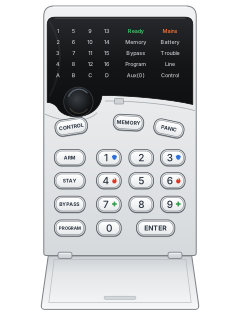
- The LED keypad's lights show problems (see the table). Press [MEMORY] to replay the events behind them (Version II: [MEMORY] then [ENTER]).
- On a 16-zone system, [ENTER] switches the zone lights between zones 1 to 8 and 9 to 16. AUX on means 9 to 16.
- On a V5, [MEMORY] then [ENTER] stops a flashing MEMORY light.
- On a V4 or V5, a phone line failure can also sound the keypad buzzer, if your installer set it.
Pages 11 and 12, 14, 23 of the ELITE 16-V4.5 InstallerPage 1 of the p 10BATTERY flashing Backup battery low MAINS flashing Mains power off LINE flashing Phone line failure (on steady: sending a report) TAMPER on / flashing A tamper is open / tamper alarm MEMORY flashing A new event to view EXCLUDE flashing A zone is excluded (bypassed) AUX flashing A zone from 9 to 16 is open (16-zone systems) Zone light on / flashing Zone open / zone in alarm
Why is my keypad beeping or showing a trouble light?
Most keypads beep or light up a trouble indicator when something needs attention, such as a low backup battery, a power cut or a lost phone or internet connection. Your user guide explains what each light or code means on your model. If it keeps happening, or you are not sure, call your installer or monitoring company.
All Arrowhead Elite V2 / V4 / V5 manuals
User guides 1
Installer manuals 41
Nothing here matches that.
Try a shorter search, or search every brand.
More Arrowhead models
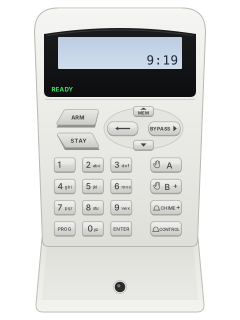
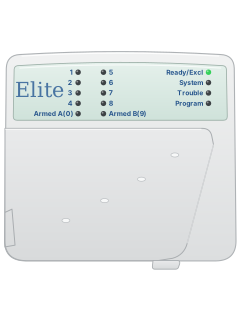
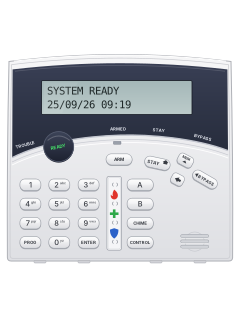
Crow wide LCD keypad (PowerWave CR16M)
Keypads
8 manuals
Also fitsElite V8 / V6 Powerwave, 15 manualsElite 16D / 64, 7 manuals
Is anyone watching your alarm?
An alarm that only makes a noise relies on someone hearing it. A monitored alarm reports to our A1 graded, NZSA approved control room, watched 24/7 by a team that is New Zealand owned and operated. We can monitor most existing alarms, so you may not need a new one. Thinking about a new alarm or security cameras? Ask us for a quote.
Prefer to talk now? Call us on 0800 339 999.
Home: alarm monitoringBusiness: business monitoringInstaller: bureau monitoring


Manuals are the property of their manufacturers and are provided for reference only; their inclusion here does not imply any endorsement by the manufacturer.