
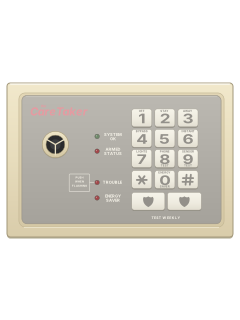
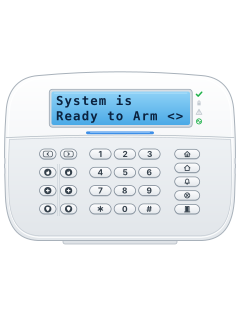
The CareTaker wireless console

ITI + Simon CareTaker manuals
Start hereITI CareTaker User ManualUser guide · 49 pages · 5.2 MBRead it nowCareTaker (not CareTaker Plus) cheat sheet
Arm (away)*your code3
- Use a touchpad or any touch-tone phone in the house. First, * then # on a phone or wired touchpad tells you if anything is open.
- Press *, key in your 4-digit access code, then 3 (AWAY).
- Three beeps sound straight away and again when the exit delay ends, so leave now. The red ARMED STATUS light on the CPU comes on steady.
- One long beep means a sensor is open, and a phone or wired touchpad names it. Close it, or bypass it.
- A wireless touchpad can't arm while there's a trouble. Use a touch-tone phone or the wired touchpad instead.
Arm while home*your code2
- CareTaker calls this STAY (level 2): the doors and windows are armed and the inside sensors are off.
- Press *, key in your access code, then 2. Two beeps sound straight away and again when the exit delay ends.
- The red ARMED STATUS light blinks. It won't arm while a door or window is open: close it, or bypass it.
- Want no entry delay? Add 6: *, your code, 2, then 6. A long beep confirms it. The exit delay stays the same.
- The entry delay comes back once you disarm to level 1.
Disarm*your code1
- Come in only by the entry-delay route your dealer showed you. The sirens keep beeping to remind you to disarm.
- Press *, key in your access code, then 1 (OFF). The sirens beep once and the ARMED STATUS light goes out.
- The same keys stop an accidental intrusion alarm. Stopped within about 10 seconds, the alarm probably isn't sent.
- Fire, panic, duress and environmental alarms don't cancel this way. Ring your monitoring centre straight away.
- Under threat? On a phone or wired touchpad, key in your duress code (if your dealer set one) instead of your code. Its silent alarm can't be cancelled.
Bypass a zone*your code42-digit zoneor*your code3then4
- CareTaker calls zones sensors. For a direct bypass, arm to the level you want first.
- Press *, your access code, 4, then the 2-digit sensor number (07, not 7). One long beep; a phone or wired touchpad says it's bypassed.
- It stays bypassed until the level next changes. Fire and smoke sensors can't be bypassed this way.
- Leaving a window open? On a phone or wired touchpad, press *, your code and 3. When it says the sensor is open, press 4.
- Three beeps, then a long beep when you press 4. That sensor is ignored until you next disarm.
Alarm memory*your code#5
- On a touch-tone phone or wired touchpad, press *, your access code, #, then 5.
- CareTaker reads out the last four alarms, newest first: the sensor number and the type, such as intrusion, fire or help.
- Alarm Memory is Secure means there are no alarms in its memory.
- Sensor 31 is the HELP (panic) feature on the phones and touchpads.
- After an alarm, CareTaker also reads it out the first time you disarm.
Chime on or off*your code#2
- With chime on, the sirens beep each time a protected outside door or window opens while the system is off (level 1).
- With the system off, press *, your access code, #, then 2. Each time you do this, chime swaps between on and off.
- One long beep sounds, and a phone or wired touchpad says Chime is On or Chime is Off.
- Not sure which it is? Open a protected door while disarmed and listen for the beep.
Panic alarmholdHELP+HELPor******
- On any CareTaker touchpad, press both HELP (police shield) buttons together for a full second.
- Or press * six or more times on any touch-tone phone or touchpad in the house. It doesn't work from a phone elsewhere.
- The sirens beep loudly, the outside siren speakers announce HELP HELP... SENSOR 31, and a HELP call goes to your monitoring centre.
- Disarming won't stop the call. If it was an accident, ring your monitoring centre and follow what they say.
- Some systems, often businesses, have a silent HELP alarm. Your dealer can also turn the feature off.
Change a code*your code#8*new code
- With the system off, on a touch-tone phone or wired touchpad, press *, your access code, #, then 8. CareTaker reads out your current code.
- Straight away press * and your new 4-digit code. The sirens beep and CareTaker reads the new code back: check it's right.
- Don't pick an easy code, such as a run of numbers or one digit four times. Don't forget it either: a lost code can mean a service call.
- If your new code starts with # instead of *, swap * and # in every command from then on.
Test the system*your code9or*your code8
- Test weekly with the system off. On a phone or wired touchpad, press *, your code, then 9. On a phone, leave it off the hook.
- Open each protected door and window and walk past each motion sensor. Each gives a long beep and its number is read out.
- Empty the room 3 minutes before each wireless motion sensor. Press both HELP buttons on each touchpad; never test the six-star HELP.
- Press # to hear what's left. All sensors test OK means done. It also stops when you hang up, or after 15 minutes.
- *, your code, then 8 tests the call to your monitoring centre; the green SYSTEM OK light blinks during it. Not from a wireless touchpad.
Trouble lights
- Eight quick beeps from the sirens every minute mean a trouble. Pick up a phone, or press PUSH WHEN FLASHING on a wired touchpad, to hear it.
- The beeps may come back 12 hours later until it's fixed. Call your dealer about it.
- Trouble Code 96 means the phone line or its wiring is faulty: the sirens still work, but alarms can't be sent.
Pages 8, 20, 44 of the ITI CareTaker User ManualSYSTEM OK light on Everything is normal SYSTEM OK light blinking A trouble: hear the message on a phone SYSTEM OK light off System failure: call your dealer ARMED STATUS light on / blinking / off Level 3 (Away) / level 2 (Stay) / level 1 (Off) TROUBLE light flashing (wired touchpad) A message is waiting: press the button beside it AC Power is Off No mains power: it may have been unplugged System Battery is bad The standby battery has failed: recharge or replace it Sensor (number) Trouble Low battery or cover off; it may still be working
Why is my keypad beeping or showing a trouble light?
Most keypads beep or light up a trouble indicator when something needs attention, such as a low backup battery, a power cut or a lost phone or internet connection. Your user guide explains what each light or code means on your model. If it keeps happening, or you are not sure, call your installer or monitoring company.
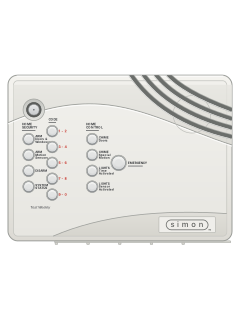
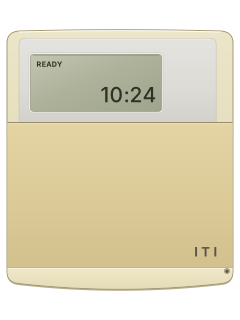
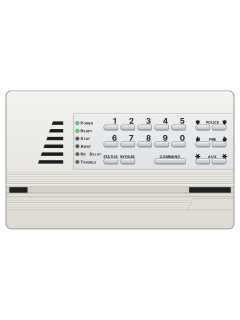
More ITI + Simon models
Is anyone watching your alarm?
An alarm that only makes a noise relies on someone hearing it. A monitored alarm reports to our A1 graded, NZSA approved control room, watched 24/7 by a team that is New Zealand owned and operated. We can monitor most existing alarms, so you may not need a new one. Thinking about a new alarm or security cameras? Ask us for a quote.
Prefer to talk now? Call us on 0800 339 999.
Home: alarm monitoringBusiness: business monitoringInstaller: bureau monitoring

Manuals are the property of their manufacturers and are provided for reference only; their inclusion here does not imply any endorsement by the manufacturer.