

ITI + Simon SX-V manuals
Start hereITI SX-V Owner's ManualUser guide · 28 pages · 1.7 MBRead it nowKeypad cheat sheet
Arm (away)your code4
- Close all the protected doors and windows.
- Key in your 4-digit access code, then straight away press 4 (AWAY). Every sensor is armed.
- Listen for four short beeps, then leave straight away, before the exit delay ends.
- Repeated two-tone protest beeps mean something is open (its number flashes with all four red lights) or there's a trouble or supervisory problem.
- Level 5 (SILENT/AWAY) arms the same, but the sirens stay quiet for a break-in. Never use it with anyone at home.
Arm while homeyour code3oryour code6
- Key in your access code, then the number of the level you want.
- 3 (EXTERIOR): the outside doors and windows are armed and the inside is off, with a delay to come and go. Three short beeps.
- 6 (NIGHT): outside plus some inside sensors (usually not bedrooms or bathrooms), with delays. One long and one short beep.
- 7 (INSTANT/NIGHT): the same as 6 with no delays, for when everyone is home. One long and two short beeps.
Disarmyour code0
- Key in your access code, then press 0 (DISARM). One long beep confirms it.
- Everything is off except the 24-hour sensors: fire, panic and environmental.
- The same keys cancel an accidental alarm. Outside sirens may be set to wait 15 seconds, so a quick cancel spares the neighbours.
- Under threat? Key in your duress code (your ITI dealer sets it up), then any level. It works as usual, sends a silent alarm and can't be cancelled.
Bypass a zoneyour codeBYPASS2-digit zone
- SX-V calls zones sensors, each with a 2-digit number. Smoke detectors can't be bypassed.
- With everything closed, arm to the level you want. Then key in your access code, BYPASS and the sensor number.
- A single beep sounds. Check the CPU display: the number shows with the BYPASS light on.
- Do more sensors one at a time. Each one done during the exit delay starts the delay again.
- Leaving a window open on purpose? Key in your code, the level number, then BYPASS. A bypass lasts until you change level.
Alarm memorySTATUS
- Stand where you can see the CPU display, then press STATUS.
- Any sensor that went off while armed shows for a moment, with the ALARM light on.
- A blank display means there were no alarms.
- The memory clears itself six hours after you disarm. Choosing level 9 (the sensor test) clears it at once.
Chime on or offyour code2
- Chime is level 2: two low tones sound when an outside door or window opens. No call goes to the monitoring station.
- Key in your access code, then press 2 (CHIME). Two short beeps confirm it.
- Any SPECIAL sensors, such as a safe or gun cabinet, stay armed in this level.
- To stop the chime, disarm to level 0 with your code and 0.
Panic alarmholdPOLICE+POLICEorholdAUXILIARY+AUXILIARYorholdFIRE+FIRE
- On a wireless or wired touchpad, press both POLICE, both AUXILIARY or both FIRE buttons together and hold for 1 second.
- The sirens sound and the monitoring station is told.
- On a hand-held wireless touchpad, press POLICE and ALARM together, or AUXILIARY and ALARM together, for 1 second.
- The display shows 80 (fire), 81 (police) or 82 (auxiliary). Your code and 0 clears it.
Set a temporary codeyour codeSTATUSnew code
- A second code for a babysitter or tradesperson. Set it where you can see the CPU display.
- Key in your access code, press STATUS, then the new 4-digit code. Bouncing balls on the display and a single beep mean it's taken.
- It can arm and change levels, but not choose level 0, 8 or 9, or bypass directly. Teach its users to disarm to level 1.
- To cancel it, key in your code, press STATUS, then your own code again.
- Only your ITI dealer can change the main access code. Ask them if it's still the factory code.
Test the systemyour code8oryour code9
- Test once a week. Your code then 8 (PHONE TEST) makes a test call: one long and three short beeps.
- It worked when the station sounds your sirens for a few seconds or rings you. The display goes from 8 back to 0.
- Your code then 9 (SENSOR TEST): one long and four short beeps, and the display scrolls every sensor number.
- Open each door and window. For a motion sensor, stay out of view for 4 minutes, then walk past. Hold each smoke test button 20 to 30 seconds.
- Each number drops off with a short loud beep. Retest any left; if one still fails, call your dealer. It returns to 0 after 15 minutes.
Trouble lights
- The CPU (the main unit) shows the protection level, a 2-digit sensor number, a POWER light and four status lights.
- The backup battery lasts 48 to 72 hours in a power cut. The display blanks after about 15 minutes: STATUS lights it briefly and beeps the level.
- Changing smoke sensor batteries? Do them one at a time, or your dealer will have to reprogram the sensor.
Pages 8, 12, 18 to 21 of the ITI SX-V Owner's ManualPOWER light flashing Mains power is off and the backup battery is running the system ALARM light and a number That sensor is in alarm SUPERVISORY light and a number Nothing heard from that sensor for 12 hours. Code then 9 (sensor test) clears it; call if it returns TROUBLE light and a number That sensor's battery is low, or its cover is off BYPASS light and a number That sensor is bypassed and gives no protection Six quick beeps every minute A trouble or supervisory problem, and no level change for 10 hours: changing level silences it 91 with the ALARM light The CPU's backup battery is weak: call for service 96 or 97 with the ALARM light It can't reach the monitoring station, or has no phone line: call for service
Why is my keypad beeping or showing a trouble light?
Most keypads beep or light up a trouble indicator when something needs attention, such as a low backup battery, a power cut or a lost phone or internet connection. Your user guide explains what each light or code means on your model. If it keeps happening, or you are not sure, call your installer or monitoring company.
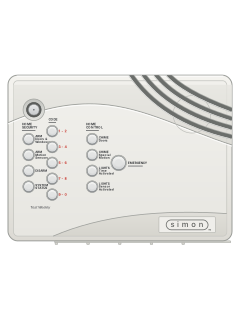
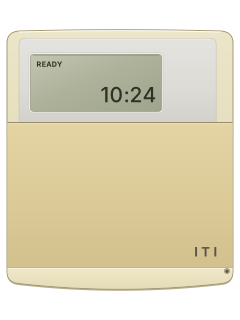
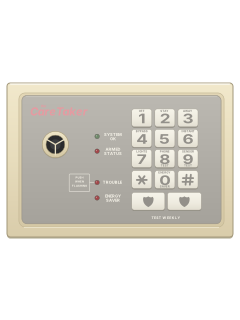
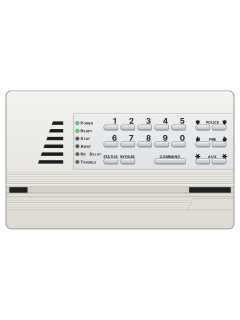
More ITI + Simon models
Is anyone watching your alarm?
An alarm that only makes a noise relies on someone hearing it. A monitored alarm reports to our A1 graded, NZSA approved control room, watched 24/7 by a team that is New Zealand owned and operated. We can monitor most existing alarms, so you may not need a new one. Thinking about a new alarm or security cameras? Ask us for a quote.
Prefer to talk now? Call us on 0800 339 999.
Home: alarm monitoringBusiness: business monitoringInstaller: bureau monitoring

Manuals are the property of their manufacturers and are provided for reference only; their inclusion here does not imply any endorsement by the manufacturer.