
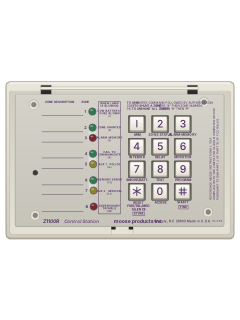
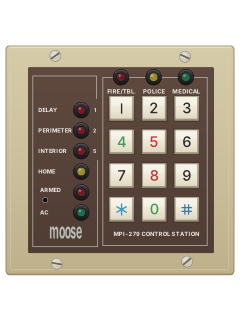
Z1100RControl station

Moose Z1100E manuals
Start hereMoose Z1100e User Manual for Z1100R Control StationUser guide · 10 pages · 1.6 MBRead it nowKeypad cheat sheet
Arm (away)1your code
- Quick keys are for the Z1100R. On the Z1100ST, use the arrow key below each screen word named below.
- Close doors and windows. Z1100R: READY TO ARM must be on. Z1100ST: wait for SYSTEM READY.
- Z1100R: press [1], then your code. Z1100ST: select LEAVE, then enter your code when asked.
- The keypad beeps and ARMED lights. Leave before the exit time ends.
- Code mistake? Z1100R: press [*], then [1] and your code again. Z1100ST: press [*] and enter your code again.
Arm while home4your codethen1your code
- Quick keys are for the Z1100R. On the Z1100ST, use the arrow key below each screen word named below.
- Z1100R: press [4] and your code; INTERIOR OFF lights. For instant entry-door alarms, press [5] and your code before arming.
- Z1100R: press [1] and your code to arm. Interior and delay normally return on disarming, unless your installer changed this.
- Z1100ST: select STAY. Use CHANGE below interior or delay to choose its status, then select CONFIRM.
- Z1100ST: enter your code when asked. SYSTEM ARMED appears and ARMED lights.
Disarm1your code
- Quick keys are for the Z1100R. On the Z1100ST, use the arrow key below each screen word named below.
- A blinking ARMED light on arrival means an alarm happened. Don't go in; call for help from outside.
- Z1100R: enter by your delay door; a steady tone sounds. Press [1] and your code. If ARMED stays on, press [*] and retry.
- Z1100ST: select DISARM and enter your code. SYSTEM IS DISARMED appears.
- Z1100ST with an alarm sounding: select SILENCE, then enter your code. This does not cancel the monitoring report.
Bypass a zone#2-digit zone
- Quick keys are for the Z1100R. On the Z1100ST, use the arrow key below each screen word named below.
- Disarm first. Each detector or door contact is a zone. A bypassed zone cannot trigger an alarm.
- Z1100R: press [#], then the two-digit zone number. READY TO ARM blinks. Repeat the same keys to restore that zone.
- Z1100ST: press MENU once, select ZONE STATUS, then BYPASS for the open zone. NEXT moves on; QUIT finishes.
- [#] [9] clears all bypasses. Z1100ST bypasses also clear on disarming after exit time. Z1100R: [#] [0] [0] bypasses all open zones.
Alarm memory3your code
- Quick keys are for the Z1100R. On the Z1100ST, use the arrow key below each screen word named below.
- Z1100R: lift the door, press [3] and your code. Lit zone indicators show the latest alarm. Press [3] again for zones 9-16.
- Z1100ST: after an alarm, select DISPLAY for the zone, TIME if offered, then QUIT to finish.
- Z1100ST later: press MENU once and select ALARM HISTORY. Hold the arrow key below TIME for its date and time.
- After disarming, [*] stops ARMED blinking.
Chime on or off6your code
- Quick keys are for the Z1100R. On the Z1100ST, use the arrow key below each screen word named below.
- Disarm first. Z1100R: press [6] and your code. Three beeps means on; two means off.
- Z1100ST: press MENU twice, select DAY MONITOR, then enter your code to switch it on or off.
- When on, a perimeter zone opening gives three beeps on Z1100R and two on Z1100ST. Inside zones do not chime.
Reset smoke detectors7your code
- Quick keys are for the Z1100R. On the Z1100ST, use the arrow key below each screen word named below.
- Clear the fire alarm first. Z1100R: [*], then [1] and your code. Z1100ST: select SILENCE, then enter your code.
- A latched detector or faulty wiring can leave AUXILIARY blinking on Z1100R, or SUPERVISORY/TROUBLE on Z1100ST.
- Z1100R: press [7] and your code. Z1100ST: press MENU once for trouble zones, twice more for menu 2; select SMOKE RESET and enter your code.
- This also tests the battery. If trouble remains, call your installer.
Panic alarmhold1+7orhold1+3orhold3+9holdAorholdBorholdC
- Your installer must enable the emergency keys and tell you which emergency each sends.
- Z1100R: hold both keys for three seconds: [1]+[7] for A, [1]+[3] for B, or [3]+[9] for C.
- Z1100ST: hold the letter key A, B or C for three seconds. Your installer decides which emergency each sends.
- Z1100R: A lights AUXILIARY; B blinks INTERIOR OFF; C blinks DELAY OFF. B may be silent with no indication.
- To reset: Z1100R, [*] then [1] and your code. Z1100ST, select SILENCE and enter your code.
Change a code9master codeuser number#new code
- Quick keys are for the Z1100R. On the Z1100ST, use the arrow key below each screen word named below.
- Disarm first. Use the master programming code from your installer; it does not arm or disarm.
- Z1100R: press [9] and the master programming code: two beeps. Enter the code number, then [#]: three beeps.
- Z1100ST: MENU three times; select PROGRAM; enter the master programming code; select CONTROL PANEL, the two-digit code number, then FIND.
- Enter five digits, padding shorter codes with trailing zeros. The actual code cannot end in zero. The fifth digit saves and exits.
Trouble lights
- Z1100R: [*] quiets trouble beeps. Z1100ST: press the arrow key below SILENCE, or press [*].
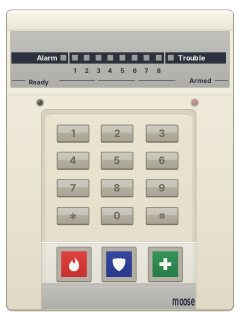
- Z1100ST: the screen names the trouble. Press MENU once to list any trouble zones.
- Z1100R: with its door up, the label beside the lamps says what each blinking lamp means.
- A weak battery after a power cut normally recharges within 16 hours.
- If a trouble doesn't clear, call your installer.
Pages 3, 5, 9, 11 of the Z1100 LCD UserPages 2, 4, 8 and 9 of the Moose Z1100e User Manual for Z1100R Control StationPOWER light off No mains power: check the breakers and the alarm's plug-in transformer POWER light blinking Battery weak or a fuse blown (the screen says LOW BATTERY OR BAD FUSE) ARMED light blinking An alarm has happened SUPERVISORY TROUBLE on screen A fault on a zone, such as a fire sensor: call for service READY TO ARM blinking (Z1100R) One or more zones are bypassed INTERIOR ON blinking (Z1100R), or FAILED TO COMMUNICATE on screen It couldn't get through to the monitoring centre DELAY ON blinking (Z1100R) Memory error: call for service AUXILIARY blinking (Z1100R) A fault on an auxiliary or supervised zone, such as a latched smoke detector or a broken wire
Why is my keypad beeping or showing a trouble light?
Most keypads beep or light up a trouble indicator when something needs attention, such as a low backup battery, a power cut or a lost phone or internet connection. Your user guide explains what each light or code means on your model. If it keeps happening, or you are not sure, call your installer or monitoring company.
All Moose Z1100E manuals
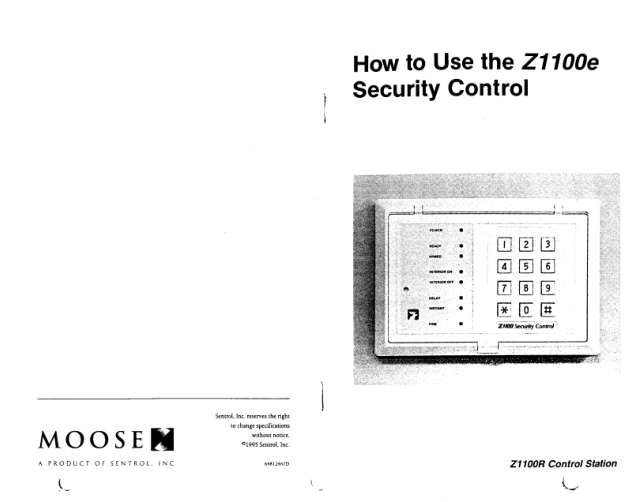
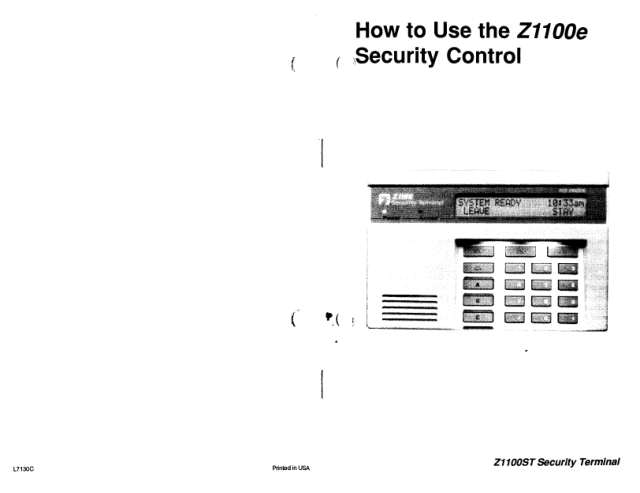
User guides 2
Installer manuals 1
Nothing here matches that.
Try a shorter search, or search every brand.
More Moose models
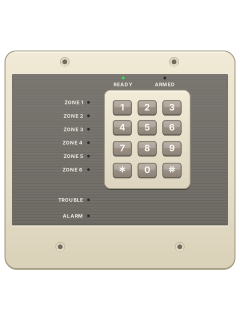
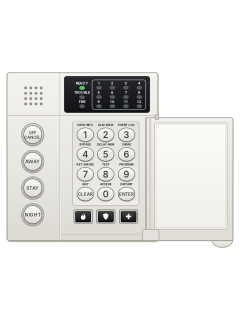
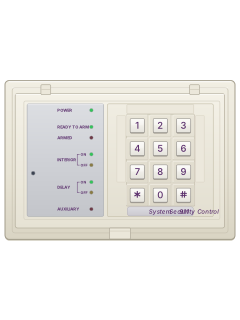
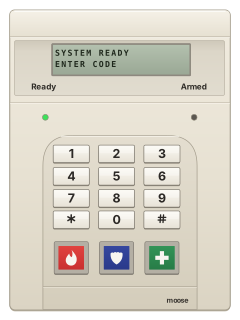
Is anyone watching your alarm?
An alarm that only makes a noise relies on someone hearing it. A monitored alarm reports to our A1 graded, NZSA approved control room, watched 24/7 by a team that is New Zealand owned and operated. We can monitor most existing alarms, so you may not need a new one. Thinking about a new alarm or security cameras? Ask us for a quote.
Prefer to talk now? Call us on 0800 339 999.
Home: alarm monitoringBusiness: business monitoringInstaller: bureau monitoring


Manuals are the property of their manufacturers and are provided for reference only; their inclusion here does not imply any endorsement by the manufacturer.