

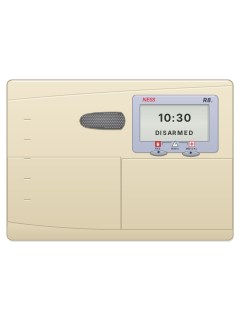
Ness L8 manuals
Start hereNess L8 userUser guide · 24 pages · 208 KBRead it nowKeypad cheat sheet
Arm (away)ARMENTERorARMyour codeENTER
- Lock the doors and windows. The panel must not be in Program, Memory or Exclude mode.
- Press ARM, then ENTER. If your installer has set arming to need a code, press ARM, your code, then ENTER.
- Three short beeps, and the ARM light comes on. Leave before the exit time ends; three beeps mark its end.
- 10 beeps instead: mains power is off or the battery is low. One long beep: a mistake, or an alarm to reset with your code first.
- A 2-second siren at the end of exit time means an open zone was left out. Come back, disarm, check it, then arm again.
Arm while homeMONITORENTERorMONITORyour codeENTER
- Ness calls this Monitor mode. Only the zones set up for it are armed, usually the doors and windows.
- Press MONITOR, then ENTER. If your system needs a code, press MONITOR, your code, then ENTER.
- Three beeps, and the ARM lights flash while Monitor mode is on.
- To come out of Monitor mode, key in your code, then ENTER. This disarms it.
- If an alarm goes off, that zone light flashes. Code then ENTER silences it and ends Monitor mode, so set it again if you need it.
Disarmyour codeENTER
- Come in through your usual entry door. The keypad beeps to remind you, unless your installer turned entry beeps off.
- Key in your code, then press ENTER, before the entry time runs out. The ARM light goes out.
- Made a mistake? Press ENTER and start again. A third wrong code sets off the alarm.
- Your code then ENTER also silences and resets an alarm.
- A flashing strobe outside, or flashing keypad lights, mean there was an alarm since you last armed. Check the alarm memory.
Bypass a zoneEXCLUDEENTERzoneENTERENTERorEXCLUDEyour codeENTERzoneENTERENTER
- Ness calls this excluding. Each detector or door contact is a zone; an excluded zone can't set off the alarm.
- With the panel disarmed, press EXCLUDE, then ENTER (put your code before ENTER if your system asks). The EXCLUDE light comes on.
- Key in the zone number, then ENTER. That zone light comes on. Repeat for other zones; a zone keyed twice is taken off the list.
- Press ENTER again to finish. The EXCLUDE light flashes while any zone is excluded.
- Excluded zones come back when you next disarm. To bring one back sooner, key it in the same way: its light goes off.
Alarm memoryMEMORYENTERorMEMORYyour codeENTER
- A flashing MEMORY light means an alarm is stored. Disarm first: memory only opens while the panel is disarmed.
- Press MEMORY, then ENTER (or MEMORY, your code, then ENTER). The MEMORY light comes on.
- The last 8 events flash up a second apart, newest first, with a short beep before each one.
- The lights show what each event was (see the table). Going into Program mode wipes the memory.
Pages 7, 16, 24 of the Ness L8 userA zone light That zone went into alarm ARM light The panel was armed TAMPER light Tamper alarm, such as the siren cover or the panel box LINE light Panic alarm BATTERY light The battery was low MAINS light Mains power failed Panic alarmPANICENTER
- Press PANIC, then ENTER. It won't work while the panel is in Program, Memory or Exclude mode.
- Your installer set it to be loud (sirens or buzzers) or silent (a warning somewhere else in the building).
- Key in your code, then ENTER, to stop the siren.
- If your installer fitted a separate panic button, pressing it raises the alarm too.
Change a codePROGRAMmaster codeENTERPROGRAM11ENTERnew codeENTERnew codeENTERPROGRAMENTER
- Only the master code (code 1) opens Program mode, and only while the panel is disarmed.
- Press PROGRAM, the master code, then ENTER. The PROGRAM light comes on and the other lights go out.
- Press PROGRAM, the code's 2-digit option, then ENTER: 11 for code 1, 12 for code 2, and so on to 25 for code 15.
- Key in the new code (3 to 6 digits, not starting with 0) and ENTER, then the same code again and ENTER.
- One long beep means a mistake: start again. Setting a code to 000 removes it, but code 1 must always have one. PROGRAM then ENTER leaves Program mode.
Trouble lights
- 10 beeps from the keypad mean the mains power is off or the backup battery is low.
- Check the plug-pack is plugged in and the power point is switched on. If that doesn't fix it, call your installer.
- A siren while disarmed means a tamper, panic, 24-hour or day zone went off. Key in your code and ENTER to reset it.
Pages 6 and 7, 22 of the Ness L8 userMAINS flashing Mains power has failed BATTERY flashing The backup battery is low A zone light flashing That zone went into alarm ARM 1 or ARM 2 flashing Monitor mode is on; your code then ENTER ends it EXCLUDE flashing One or more zones are excluded MEMORY flashing An alarm is stored: view the alarm memory TAMPER flashing Tamper alarm: call your installer Strobe light flashing outside There was an alarm since you last armed
Why is my keypad beeping or showing a trouble light?
Most keypads beep or light up a trouble indicator when something needs attention, such as a low backup battery, a power cut or a lost phone or internet connection. Your user guide explains what each light or code means on your model. If it keeps happening, or you are not sure, call your installer or monitoring company.
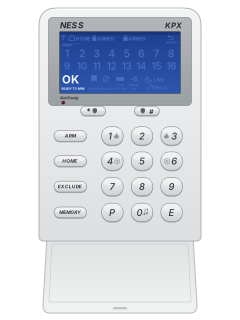
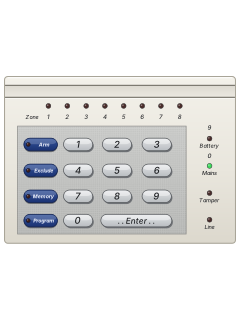
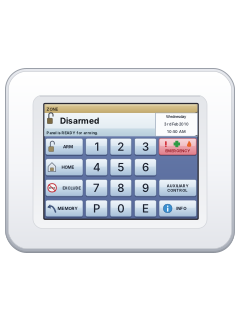
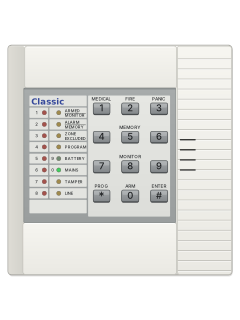
More Ness models
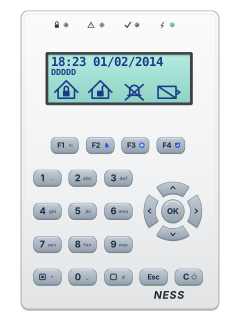
Is anyone watching your alarm?
An alarm that only makes a noise relies on someone hearing it. A monitored alarm reports to our A1 graded, NZSA approved control room, watched 24/7 by a team that is New Zealand owned and operated. We can monitor most existing alarms, so you may not need a new one. Thinking about a new alarm or security cameras? Ask us for a quote.
Prefer to talk now? Call us on 0800 339 999.
Home: alarm monitoringBusiness: business monitoringInstaller: bureau monitoring

Manuals are the property of their manufacturers and are provided for reference only; their inclusion here does not imply any endorsement by the manufacturer.