

Radionics D4112 manuals
Start hereD620 User ManualUser guide · 14 pages · 1.4 MBRead it nowKeypad cheat sheet
Arm (away)your codeENTorCOMMAND1
- On a D620: Close doors and windows. All the zone lights should be off before you arm.
- Key in your passcode and press [ENT] ([ENTER] on a D420A). If enabled, [COMMAND] [1] also arms; enter a security passcode and [ENT] first if required.
- The PERIMETER and INTERIOR lights flash slowly while the exit time runs. Leave before it ends.
- Zone still open? The keypad sounds for 2 seconds and that zone's light comes on.
- To arm without it, press [COMMAND], then [ENT], if your installer has turned force arming on.
Arm while homeCOMMAND3orCOMMAND2
- On a D620, if perimeter arming is enabled: close outside doors and windows. Interior zones stay off.
- Enter a security passcode and [ENT] first if required, then [COMMAND] [3]. PERIMETER flashes during exit time, then stays on.
- At night, [COMMAND] then [2] arms the perimeter with no entry or exit delay, even at the entry door. The PERIMETER and INSTANT lights come on.
- To leave some doors or windows out, leave them open, press [COMMAND], then [8], and keep them open until the exit time ends.
- To disarm, key in your passcode and press [ENT].
Disarmyour codeENT
- On a D620: Come in through your usual entry door. The keypad beeps to remind you to disarm.
- Key in your passcode and press [ENT] ([ENTER] on a D420A) before the entry time runs out. Press each key within 5 seconds.
- A wrong door, or running out of time, sets the alarm off. Your passcode and [ENT] silence it.
- Under threat? If duress is set up, your duress code (your code with its last digit one higher, or a separate code) disarms and sends a silent alarm. Press [ENT] after it.
Bypass a zoneyour codeENTthenCOMMAND0zoneENTENT
- On a D620, if shunting is enabled: each detector or door contact is a zone. A shunted zone is left out while arming.
- Start arming: your passcode and [ENT], or [COMMAND] [1]. The PERIMETER and INTERIOR lights flash.
- During exit time, enter a security passcode and [ENT] if required, then [COMMAND] [0]. Key in the zone number and press [ENT].
- Each zone key restarts the exit time. To put a zone back, key it and [ENT] again.
- Press [ENT] to finish. Shunted zone lights flash slowly until you disarm. Priority and 24-hour zones, such as fire, can't be shunted.
Alarm memoryCOMMAND4
- On a D620: A zone light flashing fast shows the zone that went into alarm.
- Disarm, then press [COMMAND] [4] to clear memory. Enter a security passcode before the command if required.
- Only the lights of zones that are back to normal (closed) go out. Arming the system again also clears them.
- While only the perimeter is armed, [COMMAND] [4] quiets the keypad but can't clear the memory: disarm fully first.
Chime on or offCOMMAND6
- On a D620: The panel calls this Perimeter Watch Mode: a short beep when an outside door or window opens.
- If Watch is enabled, with the system disarmed, enter a security passcode and [ENT] if required, then [COMMAND] [6].
- Press [COMMAND], then [6] again to turn it off.
- It beeps as the door opens, and not again until it's closed and reopened. Moving about inside makes no sound.
Reset smoke detectorsCOMMAND47
- On a D620: Fire alarm? Get everyone out first. If it's a false alarm, silence it with your passcode and [ENT], and tell your alarm company.
- If reset is enabled, disarm, enter a security passcode and [ENT] if required, then [COMMAND] [4] [7]. D420A key B also resets.
- The keypad stops working for a moment while it resets.
- Straight back into alarm? The detector may be faulty or still in alarm. Ring your alarm company.
Panic alarmCOMMAND9orCOMMAND7
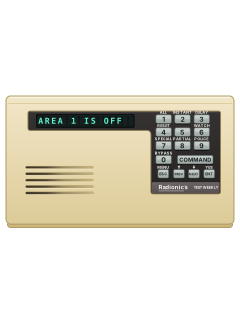
- On a D620: Press [COMMAND], then [9] (marked POLICE on a D620) to send a police alert to your monitoring company.
- It can also be set to sound the alarm on site.
- [COMMAND] then [7] (marked SPECIAL on a D620) is a second alert. It may be silent.
- Both alerts must be set up by your alarm company. Enter a security passcode before the command if required.
Change a codeCOMMAND5your codeENTnew codeENTnew codeENT
- On a D620, if code changes are enabled: disarm, unlock commands with a security passcode and [ENT] if required, then press [COMMAND] [5].
- Enter the old code and [ENT], then the new code and [ENT], then the new code and [ENT] again. The CMD light goes out.
- The new code must start with the same digit as the old one and be 2 to 5 digits long.
- Don't make its last digit the same as its first. If the CMD light goes out early, start again.
- Test the new code by arming and disarming with it before you rely on it.
Trouble lightsCOMMAND4
- On a D620: A service tone, or a steady beep for phone trouble, means something needs attention.
- Enter a security passcode and [ENT] if required, then [COMMAND] [4] to quiet it. Your passcode and [ENT] also quiet it and disarm.
- Some zones, such as fire, may be set to keep sounding until the fault is fixed. The table explains the lights.
Pages 3 and 4, 6 of the D620 User ManualPages 8 and 9 of the D4112 Installation ManualZone light on That zone is open, such as a door or window left open Zone light flashing slowly That zone is shunted (left out) Zone light flashing fast That zone went into alarm PERIMETER or INTERIOR light on The doors and windows (PERIMETER) or the inside (INTERIOR) are armed PERIMETER or INTERIOR light flashing slowly The exit time is running INSTANT light on Armed with no entry or exit delay AC light on Mains power is on AC light flashing Running on the backup battery. If it keeps flashing, ring your monitoring company Send a test signalCOMMAND41
- On a D620 keypad, if your installer has turned this on. With the system disarmed, ring your monitoring company first.
- If your system needs a passcode before commands, key it in and press [ENT]. Then press [COMMAND], [4], [1].
- When your monitoring company receives the test report, the keypad beeps for 2 seconds.
Why is my keypad beeping or showing a trouble light?
Most keypads beep or light up a trouble indicator when something needs attention, such as a low backup battery, a power cut or a lost phone or internet connection. Your user guide explains what each light or code means on your model. If it keeps happening, or you are not sure, call your installer or monitoring company.
All Radionics D4112 manuals
User guides 1
Installer manuals 5
Nothing here matches that.
Try a shorter search, or search every brand.
More Radionics models
Is anyone watching your alarm?
An alarm that only makes a noise relies on someone hearing it. A monitored alarm reports to our A1 graded, NZSA approved control room, watched 24/7 by a team that is New Zealand owned and operated. We can monitor most existing alarms, so you may not need a new one. Thinking about a new alarm or security cameras? Ask us for a quote.
Prefer to talk now? Call us on 0800 339 999.
Home: alarm monitoringBusiness: business monitoringInstaller: bureau monitoring


Manuals are the property of their manufacturers and are provided for reference only; their inclusion here does not imply any endorsement by the manufacturer.