
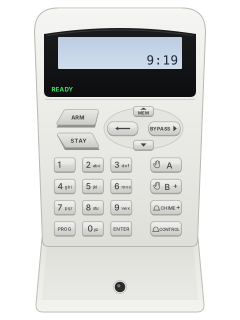
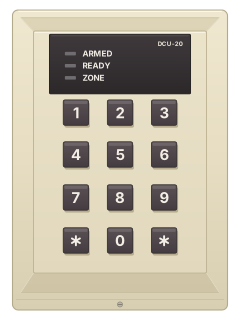
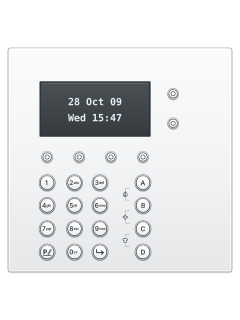
LCD keypad

Arrowhead Elite S / SX manuals
Start hereElite S LCD Operating GuideUser guide · 32 pages · 495 KBRead it nowKeypad cheat sheet
Arm (away)ARMoryour codeENTER
- Press [ARM], or key in your code and press [ENTER].
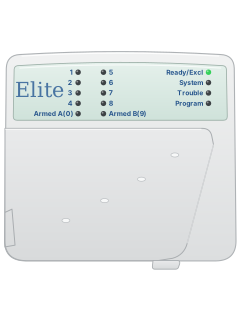
- An ESX keypad starts its exit beeps and shows the areas arming. On an Elite S LED keypad the area's armed light comes on.
- Two or more areas? Your installer may set it so you press [ARM], your code and [ENTER], then pick the areas and [ENTER] again (or wait 10 seconds).
- Forgot something? If your installer allows it, [ARM] during the exit beeps disarms again.
- Keyed a code wrong? Press [ENTER] to clear it and start again.
Arm while homeSTAYorSTAYyour codeENTER
- Stay mode arms only the part your installer picked, such as a garage or downstairs.
- Press [STAY], or [STAY] then your code and [ENTER] if your installer set it up that way.
- The area lights flash on an Elite S LED keypad. An ESX keypad shows 'STAY' in red.
- Elite S: press [ENTER] straight after arming to arm at once. It also drops the entry delay, so a triggered stay zone alarms straight away.
Disarmyour codeENTER
- Key in your code and press [ENTER]. Only the areas your code and keypad cover disarm.
- Stay mode: your code and [ENTER], or [STAY] on its own if your installer allows it (not always during an alarm).
- Your code and [ENTER] also stop an alarm and turn the sirens off.
- With the [ARM]-first set-up, after your code and [ENTER], pick the areas to disarm and press [ENTER] again (or wait 10 seconds).
Bypass a zoneBYPASS2-digit zoneENTER
- Each detector or door contact is a zone (the ESX guide says sensor). Bypass before you arm.
- Press [BYPASS], key in each zone as two digits (01, 09, 16), then [ENTER]. The BYPASS light flashes.
- If your installer requires a code, press [BYPASS], your code and [ENTER] first.
- Bypasses clear when you disarm. A bypassed 24-hour zone (or ESX smoke or heat detector) stays off until you repeat the steps.
Alarm memoryMEMMEMORY
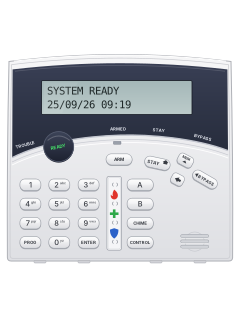
- LCD keypad with A, B and CHIME keys: press [MEM]. On the Arrowhead LCD keypad the key says [MEMORY].
- Current faults show first, then events, newest first. Each press steps back one; on an ESX the down arrow steps forward.
- A flashing MEMORY light (Elite S LED keypad) means an event you haven't looked at.
- Press [ENTER] to leave. The Elite S keeps 255 events, the ESX 10,000.
Chime on or offholdCHIME
- LCD keypad with a CHIME key: hold [CHIME] for 2 seconds, until it beeps. The screen shows CHIME OFF; an ESX keeps showing it while chime is off.
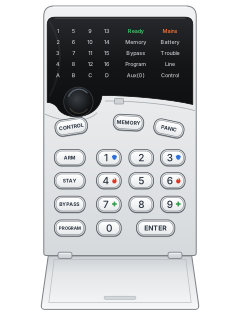
- Wired Arrowhead LCD or LED: hold [CONTROL], then press [PROGRAM] within 2 seconds. LCD: CHIME OFF; LED: Aux (0) on.
- TRX wireless keypad: press its program key, then [CONTROL]. It shows NOCH when chime is off, CHIM when on.
- Chime zones beep the keypad, or sound an output, when opened. Your installer sets them up.
- Do the same again to turn chime back on.
Panic alarmholdCHIME+CONTROLPANICor1+3
- LCD keypad with A, B and CHIME keys: [CHIME] and [CONTROL] together for panic, [A] and [B] for fire, [B] and [CHIME] for medical.
- Arrowhead LCD or LED keypad: press [PANIC], or [1] and [3] together. [4] and [6] send fire, [7] and [9] medical.
- Press both keys together and hold. The two-key alarms are off from the factory until your installer turns them on.
- Your code and [ENTER] reset the alarm.
Change a codePROGmaster codeENTERthenPROG1ENTERuser numberENTERnew codeENTERPROGRAMmaster codeENTERthenPROGRAM1ENTERuser numberENTERnew codeENTER
- LCD with A/B/CHIME keys: use [PROG]; Arrowhead LCD or LED: [PROGRAM] throughout. Disarm, then press that key, your code, [ENTER]. LCD: 'Client: Users'.
- Press the program key, [1], [ENTER], then the user number (1 to 100 on Elite S, up to 2000 on ESX) and [ENTER].
- Key in the new code (1 to 6 digits) and press [ENTER]. Three short beeps: saved. One long tone: not accepted.
- To delete: LCD, hold [CONTROL] and press [0] within 2 seconds, then [ENTER]. LED: [BYPASS], then [ENTER].
- To leave: ESX or Elite S LED, press the program key then [ENTER]. Elite S LCD: hold the program key for 2 seconds.
Set the date and timePROG26ENTER1ENTERtimeENTERPROGRAM26ENTER1ENTERtimeENTER
- LCD with A/B/CHIME keys: use [PROG]; Arrowhead LCD or LED: [PROGRAM] throughout. Press that key, your code and [ENTER] to start.
- Time: program key, [2], [6], [ENTER], then [1], [ENTER]. Key in the 24-hour time as HHMM and [ENTER].
- Day: program key, 26, [ENTER], [2], [ENTER], then the day number (1 = Sunday) and [ENTER].
- Date: program key, 26, [ENTER], [3], [ENTER], then DDMMYY and [ENTER].
- Exit: ESX or Elite S LED, program key then [ENTER]; Elite S LCD, hold the program key 2 seconds. ESX can use internet time if set up.
Trouble lightsMEMMEMORY
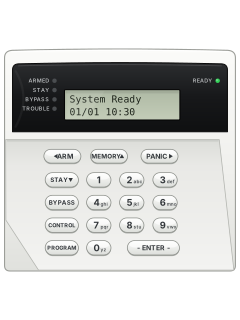
- LCD keypad: the TROUBLE light comes on. Press [MEM] once ([MEMORY] on the Arrowhead LCD keypad) to read the fault, then [ENTER] to go back.
- Elite S LED keypad: press the memory key. Memory, Mains and Battery light up, with zone lights 1 to 8 for the faults.
- No zone light at that point means no current faults.
- If your installer turned it on, a mains, battery, fuse, phone line or wireless receiver fault beeps the keypad non-stop.
- [ENTER] silences it, and it stops once the fault clears. A panel tamper beeps until your code clears it. If a fault stays, call your installer.
Pages 4, 6 of the ELITE-S User GuidePage 15 of the ESX User GuideLight 1 Backup battery low Light 2 Mains, 12 V fuse or output failure Light 3 Phone line failure Light 4 Wireless detector battery low Light 5 Remote (pendant) battery low Light 6 Wireless detector not reporting Light 7 Sensorwatch alarm, or an area not armed for the set number of days Light 8 Monitoring call not acknowledged Send a test signalholdCONTROLthen0
- On an Elite S, this makes the panel call your monitoring company and send a manual test call.
- With the alarm disarmed and not in programming, hold [CONTROL] and press [0] within 2 seconds.
- It works only if your panel reports by Contact ID and your installer has set test calls to report.
- Afterwards a TRX keypad's event memory lists MTST, manual test message sent.
Why is my keypad beeping or showing a trouble light?
Most keypads beep or light up a trouble indicator when something needs attention, such as a low backup battery, a power cut or a lost phone or internet connection. Your user guide explains what each light or code means on your model. If it keeps happening, or you are not sure, call your installer or monitoring company.
All Arrowhead Elite S / SX manuals
User guides 5
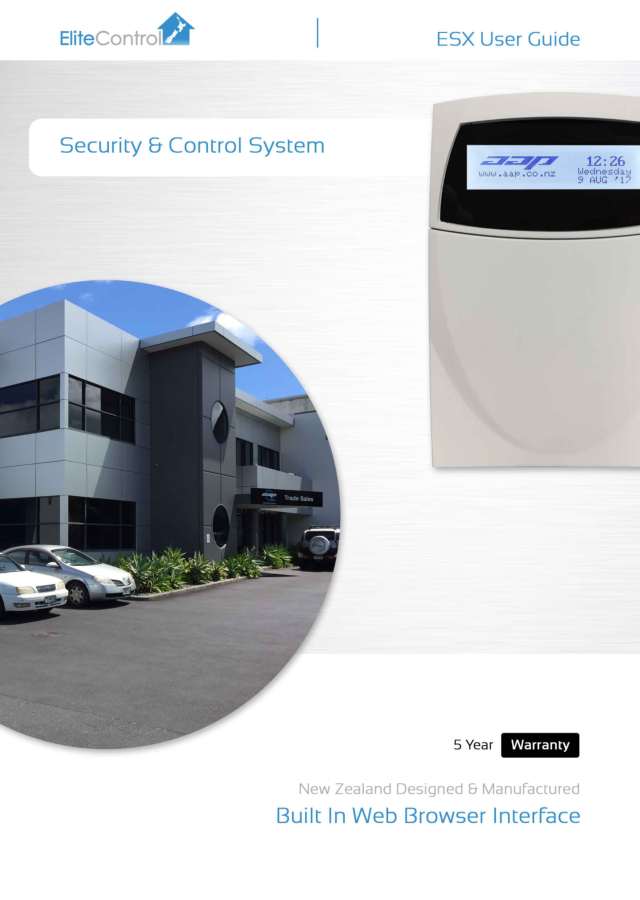
Installer manuals 31
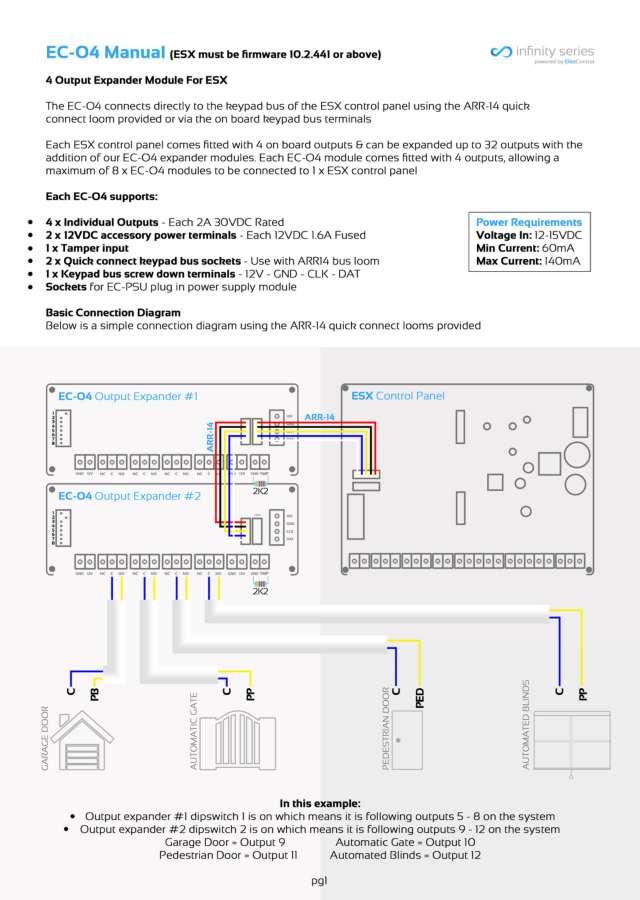

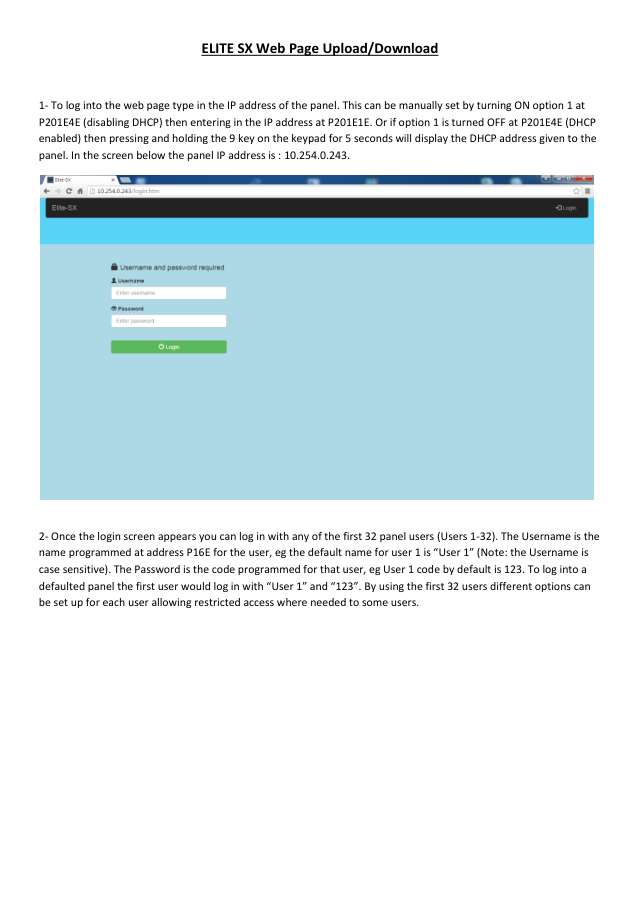
Nothing here matches that.
Try a shorter search, or search every brand.
More Arrowhead models
Crow wide LCD keypad (PowerWave CR16M)
Keypads
8 manuals
Also fitsElite V8 / V6 Powerwave, 15 manualsElite 16D / 64, 7 manuals
Is anyone watching your alarm?
An alarm that only makes a noise relies on someone hearing it. A monitored alarm reports to our A1 graded, NZSA approved control room, watched 24/7 by a team that is New Zealand owned and operated. We can monitor most existing alarms, so you may not need a new one. Thinking about a new alarm or security cameras? Ask us for a quote.
Prefer to talk now? Call us on 0800 339 999.
Home: alarm monitoringBusiness: business monitoringInstaller: bureau monitoring


Manuals are the property of their manufacturers and are provided for reference only; their inclusion here does not imply any endorsement by the manufacturer.