
Codepad

Bosch EDM Solution 6000 manuals
Start hereSol 6000 User ManualUser guide · 48 pages · 2.7 MBRead it nowKeypad cheat sheet
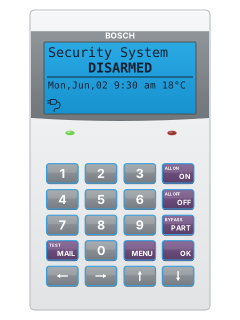
Arm (away)your codeONyour codehold#
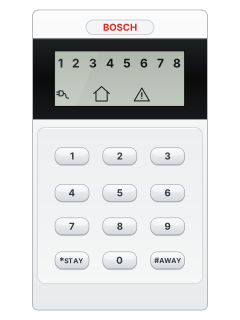
- Graphic keypad steps below; CP150B/CP151B: see the last step. For CP050B or Tag keypads, use their own guide.
- Close doors and windows: the hand icon shows when the area is ready. Key in your PIN, then press ON, and leave.
- The keypad beeps once a second through the exit time, then quickly for the last 10 seconds. PIN then OFF stops it arming.
- If a zone is open, close it or bypass it, then try again.
- CP150B or CP151B outdoor keypad, panel version 2.19 or later: your PIN, then hold #, turns on all your areas.
Arm while homeyour codePARTthenOK
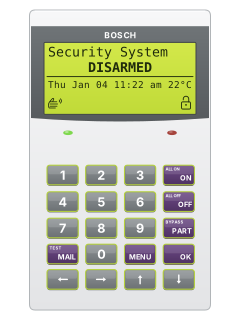
- Graphic keypad only (the one with ON, OFF, PART and MENU keys). For any other keypad, see its own guide.
- Key in your PIN, then press PART. The panel calls this Part On.
- Use the arrow keys to pick Part On or Part 2 On, then press OK. Exit time starts.
- Your installer chooses the Part On zones; a master user chooses the Part 2 On zones.
- When exit time ends, the Part On icon (a house) shows.
Disarmyour codeOFFyour code*
- Graphic keypad steps below; CP150B/CP151B: see the last step. For CP050B or Tag keypads, use their own guide.
- Come in by your entry door; the keypad sounds a high-low tone. Key in your PIN, then press OFF before entry time runs out.
- The Lock or Part icon goes off. PIN then OFF also silences an alarm: tell your monitoring company if it was false.
- Under threat, key in your PIN, its last two digits, then OFF, for a silent duress alarm.
- CP150B or CP151B outdoor keypad, panel version 2.19 or later: your PIN, then *, turns off all your areas.
Bypass a zoneMENU302
- Graphic keypad only (the one with ON, OFF, PART and MENU keys). For any other keypad, see its own guide.
- Press MENU, then 3 0 2 (key in your PIN if asked). Pick the zone with the up and down arrows, or its number, then press OK.
- Press ON to bypass it, or OFF to un-bypass it, then OK to save. A tick marks a zone already bypassed.
- Bypassed burglary zones come back when you next disarm. 24-hour zones stay bypassed until you undo them.
- Holding PART for 2 seconds can also be used to bypass zones.
Alarm memoryMENU702
- Graphic keypad only (the one with ON, OFF, PART and MENU keys). For any other keypad, see its own guide.
- After an alarm, key in your PIN then OFF. The display keeps scrolling what caused it. Arm and disarm again to clear it.
- For the history log of the last 1000 events, press MENU, then 7 0 2 (key in your PIN if asked).
- Up and down arrows move between events; left and right show an event's other pages.
- Press OK or MENU to leave the log.
Chime on or offhold4orMENU205
- Graphic keypad only (the one with ON, OFF, PART and MENU keys). For any other keypad, see its own guide.
- Chime beeps when a chime zone opens while disarmed, if enabled by your installer. Hold 4 for 2 seconds to toggle it.
- Or press MENU, then 2 0 5 (PIN if asked). Pick the area with the arrow keys and press OK.
- Press ON to enable chime or OFF to disable it, then OK to leave.
- A master user picks the chime zones in MENU 3 0 3. With no chime zones set, chime does nothing.
Reset smoke detectorsMENU305
- Graphic keypad only (the one with ON, OFF, PART and MENU keys). For any other keypad, see its own guide.
- Press MENU, then 3 0 5 (key in your PIN if asked). Pick the area with the arrows, or its number, then press OK.
- The display says the smoke detector reset is in progress. It goes back to the menu when done.
- A steady fire icon means a fire alarm is in memory: turn the area On and Off to clear it.
Panic alarmholdthe key with a right arrow on it+the key with an up arrow on it
- Graphic keypad: hold the right and up arrows together for 2 seconds for panic. Other keypads: use their own guide.
- If your installer has set it up, sirens sound and your monitoring centre is told.
Pages 7 and 8 of the Sol 6000 User ManualRight arrow and up arrow Panic alarm Left arrow and right arrow Fire alarm Up arrow and down arrow Medical alarm Change a codeyour codeMENU110
- Graphic keypad only (the one with ON, OFF, PART and MENU keys). For any other keypad, see its own guide.
- With the system off, key in your PIN, then MENU, then 1 1 0.
- Key in your new PIN and press OK (an error tone means choose another), then key it in again and press OK.
- It needs the same number of digits as the old one, unless your installer allows other lengths.
- A master user can change other people's PINs with MENU 1 1 1.
Trouble lightsthe key with a down arrow on it
- Graphic keypad only (the one with ON, OFF, PART and MENU keys). For any other keypad, see its own guide.
- A fault makes the keypad give 4 fast beeps, then a 5-second pause, over and over.
- The service icon (a warning triangle) flashes until the trouble is acknowledged, then stays on.
- With the area off, press the down-arrow key to see the trouble. Or press MENU, then 7 0 1 (PIN if asked) for the list.
Pages 5, 7 and 8, 36 and 37, 39 of the Sol 6000 User ManualPower Missing Mains power is off at the panel; call your security company if there is no local power cut Battery Low The backup battery failed its test and may need replacing Comms Fail Route1 Reports to your monitoring centre are failing Telco Line Fail The phone line has been off for 30 seconds or more Date & Time The clock needs setting: MENU, 7 1 0, set it with the arrows, then OK Zone Was In Alarm Turn the area on and off again to clear the alarm memory Default PIN Trble A factory PIN is still in use; change it Service Required A service visit is due Send a test signalholdMAILorMENU590
- Graphic keypad only (the one with ON, OFF, PART and MENU keys). For any other keypad, see its own guide.
- Hold MAIL for 2 seconds, or press MENU, then 5 9 0 (key in your PIN if asked).
- Either starts a communication test: the panel sends a test report to your monitoring company.
- MENU 5 9 0 shows Comms Testing In Progress, then Comms Test Successful, or Test Report Failed: call for service.
- Press OK or MENU to leave.
Why is my keypad beeping or showing a trouble light?
Most keypads beep or light up a trouble indicator when something needs attention, such as a low backup battery, a power cut or a lost phone or internet connection. Your user guide explains what each light or code means on your model. If it keeps happening, or you are not sure, call your installer or monitoring company.
All Bosch EDM Solution 6000 manuals
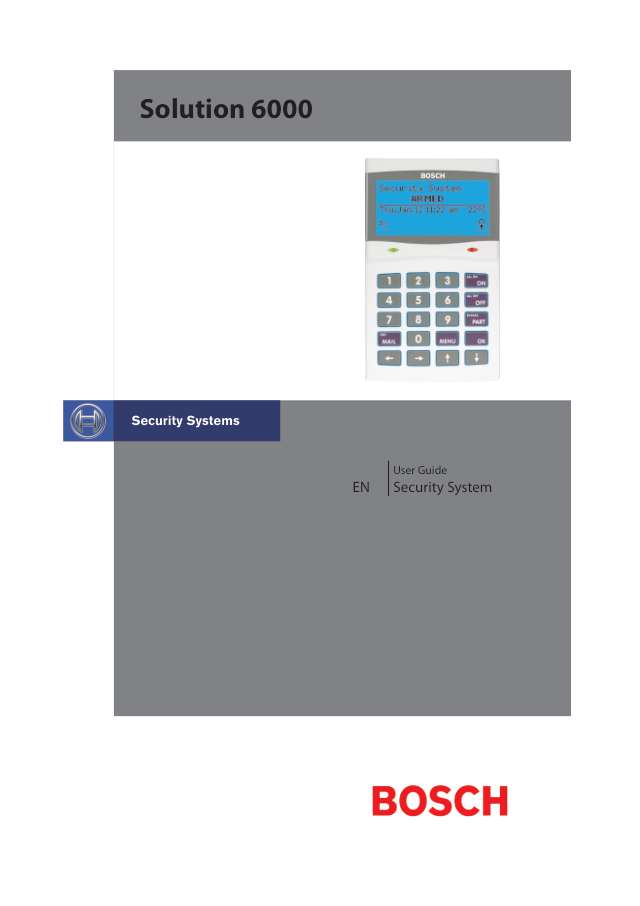
User guides 1
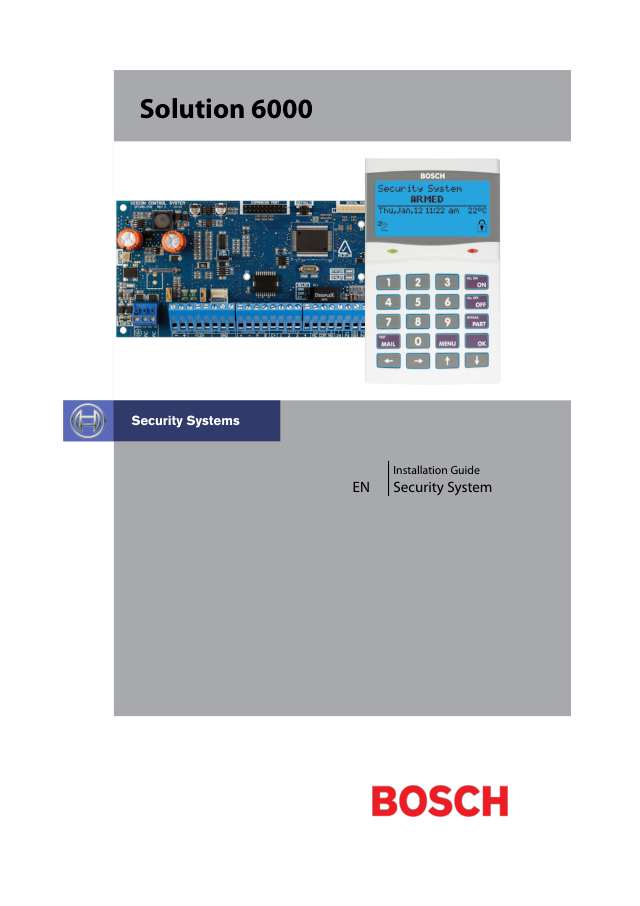
Installer manuals 3
Nothing here matches that.
Try a shorter search, or search every brand.
More Bosch EDM models
Is anyone watching your alarm?
An alarm that only makes a noise relies on someone hearing it. A monitored alarm reports to our A1 graded, NZSA approved control room, watched 24/7 by a team that is New Zealand owned and operated. We can monitor most existing alarms, so you may not need a new one. Thinking about a new alarm or security cameras? Ask us for a quote.
Prefer to talk now? Call us on 0800 339 999.
Home: alarm monitoringBusiness: business monitoringInstaller: bureau monitoring


Manuals are the property of their manufacturers and are provided for reference only; their inclusion here does not imply any endorsement by the manufacturer.