
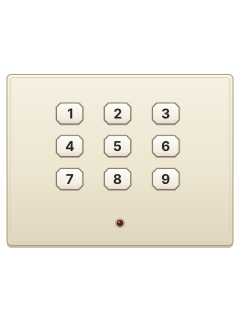
Omega 4000 / 8000 flat 9-key arming plate

Radionics 4000 - 8000 manuals
Start here4000-8000 User GuideUser guide · 1 page · 25 KBRead it nowOmegalarm 4000 / 8000 and 4012 / 8012 cheat sheet
Arm (away)your code
- For the digital arming stations, use your code. On the keyswitch station, use your key instead.
- Close doors and windows. On a 4012 or 8012 station with a green Ready light, it must be on.
- Key in your code, or turn the keyswitch. On stations with a red light, it flashes during exit time. Leave now.
- The red light stays on once armed. It may keep flashing until the arming report reaches your monitoring company.
- On the 9-key plate, a buzz without a flashing red light means it has not armed. Close open doors and windows.
Arm while home*
- For the pictured 12-key digital stations with a bottom-right * key; the 9-key plate, ALPHA and keyswitch need their own guide.
- If your installer has set up perimeter arming, press the bottom-right * key to arm the outside zones while home.
- There is no exit delay. To go out, disarm first, then arm the whole system with your code.
Disarmyour code
- For the digital arming stations, use your code. On the keyswitch station, use your key instead.
- Come in only through your delay door. Any other protected door sets the alarm off straight away.
- When the entry buzzer sounds, key in your code or use your key. The buzzer stops; a red Armed light goes out.
- Alarm sounding? Key in your code, or use your key, to silence it.
Reset smoke detectors
- On a 4000 or 8000, hold the reset button on the alarm's control box (the transmitter) for 3 seconds.
- Then key in your code at the keypad.
Page 1 of the 4000-8000 User Guide4000/8000 transmitter reset button Hold for 3 seconds, then enter your code at the keypad Panic alarm*+*
- For the pictured digital station, double-gang plate and single-gang plate with two * keys: press both * keys together.
- This sends a panic alarm only if your installer has wired that function to a panic zone. Check with your alarm company.
- The 9-key plate, ALPHA, keyswitch and slim station do not have two * keys; see their own guides.
Change a code
Page 4 of the 4012-8012 User GuideTo change your code Ring your alarm company Trouble lights
- For stations with red/green lights, use the table. The 9-key plate has only a red light; ALPHA has a display.
- On a 4012/8012 digital station, green off with all zones closed and no key buzz can mean a power problem.
- Check the plug-in transformer and circuit breaker, then call your alarm company. It can still be armed.
- 4012/8012 with the optional fire test/reset module: a non-stop buzzer means the smoke detectors need resetting or a fire trouble.
- Your code won't stop it: with the room clear of smoke, press the reset switch once. Still buzzing? Call for service.
Pages 3, 5, 9 of the 4012-8012 User GuidePages 7 and 8 of the 4000-8000 Installation ManualGreen light on Ready to arm, and mains and battery power are normal Green light off, keys buzz Something is open or a beam is blocked, so it won't arm Red light off Not armed Red light flashing The exit time is running, or the arming report is still being sent Red light on Armed Red light flashing slowly (short on, long off) while armed The backup battery is low, such as after a power cut or a long alarm. It stops once recharged Light blinking once a second (4000 / 8000) The battery isn't fully charged, or the bell fuse has blown Buzzer non-stop (fire test/reset module fitted) Smoke detectors need resetting, or a fire system trouble
Why is my keypad beeping or showing a trouble light?
Most keypads beep or light up a trouble indicator when something needs attention, such as a low backup battery, a power cut or a lost phone or internet connection. Your user guide explains what each light or code means on your model. If it keeps happening, or you are not sure, call your installer or monitoring company.
All Radionics 4000 - 8000 manuals
User guides 4
Installer manuals 2
Nothing here matches that.
Try a shorter search, or search every brand.
More Radionics models
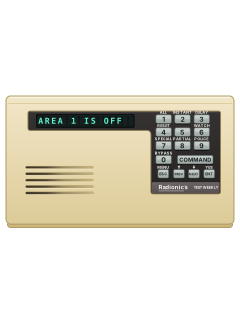
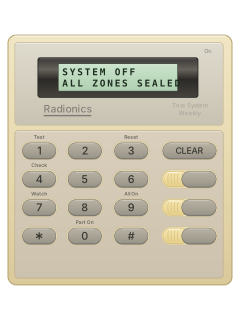
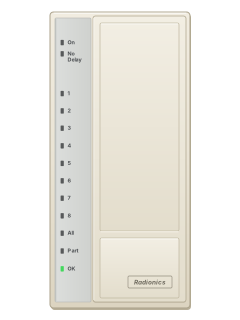
- D91122 user guides, 1 quick guide and 4 more7 manuals
- D41121 user guide, 1 installation manual and 4 more6 manuals
- D6412 D94121 user guide, 1 quick guide and 4 more6 manuals
- Access Easy Controller2 user guides, 1 installation manual and 2 datasheets5 manuals
- Radionics-Bosch RPS1 datasheet and 1 manual2 manuals
Is anyone watching your alarm?
An alarm that only makes a noise relies on someone hearing it. A monitored alarm reports to our A1 graded, NZSA approved control room, watched 24/7 by a team that is New Zealand owned and operated. We can monitor most existing alarms, so you may not need a new one. Thinking about a new alarm or security cameras? Ask us for a quote.
Prefer to talk now? Call us on 0800 339 999.
Home: alarm monitoringBusiness: business monitoringInstaller: bureau monitoring


Manuals are the property of their manufacturers and are provided for reference only; their inclusion here does not imply any endorsement by the manufacturer.