
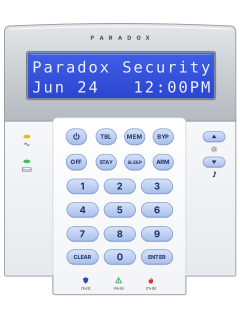
K32LCDLCD keypad

Paradox SP / MG series manuals
Start hereMagellan MG6130 / MG6160 Wireless Console User GuideUser guide · 44 pages · 431 KBRead it nowSP and MG keypads cheat sheet
Arm (away)ARMyour codeorholdARM
- Close all zones in the area, then press [ARM] and key in your code.
- Two partitions? Press [1] or [2]; for both, press the other after the confirmation beeps.
- Leave before the exit time ends; the beeps speed up in the last 10 seconds. On a K10, the ARM light flashes.
- If your installer has turned on one-touch arming, holding [ARM] arms without a code.
Arm while homeSTAYyour codeorSLEEPyour code
- Stay leaves your programmed Stay zones off. Sleep leaves only your programmed Sleep zones off.
- Close the zones to be armed. Press [STAY] or [SLEEP], then key in your code.
- Two partitions? Press [1] or [2]; for both, press the other after the confirmation beeps.
- On a K10, the STAY or SLEEP light flashes during the exit time, then stays on.
DisarmOFFyour code
- Come in through your entry door. Press [OFF], then key in your code before the entry time ends.
- Two partitions? Press [1] or [2]; for both, press the other after the confirmation beeps.
- The OFF light comes on. [OFF] and your code also stop an alarm.
- False fire alarm? Ring your monitoring company straight away.
Bypass a zoneBYPyour codezoneENTERBYPyour code2-digit zoneENTER
- Each detector or door contact is a zone. Press [BYP], then key in your code; [BYP] flashes.
- K32LCD: enter a 2-digit zone number, such as 03. K10: press one zone key; it flashes when bypassed.
- Enter a zone again to undo it. Press [ENTER] to save. The bypasses clear when you disarm.
- To recall the last bypasses: [BYP], your code, [BYP], then [ENTER].
Alarm memoryMEM
- Disarm, then press [MEM] to see which zones went into alarm.
- On a K10, the zone number keys light up. On a K32LCD, read the zone list and scroll with the arrows.
- Press [CLEAR] to leave.
Chime on or offholdzoneholdthe key with a down arrow on it1zoneENTER
- K10: hold the zone key for 3 seconds. A run of beeps means chime on; one long beep means off.
- K32LCD: hold the down-arrow key beside the music note, press [1], enter the zone number, then [ENTER].
- On K32LCD, repeat a zone to turn its chime off, or press [SLEEP] instead of a zone to turn all chimes off.
- Chime beeps when a chosen zone opens. Set each keypad separately.
Panic alarmhold1+3orhold4+6orhold7+9
- Hold both keys together for 3 seconds, only if your installer has set up that panic.
- The guide suggests [1]+[3] for police, [4]+[6] for medical and [7]+[9] for fire.
- Your installer chooses the message sent and whether the siren sounds.
Change a codethe key with a power symbol on itmaster codeuser numbernew codenew codeENTERCLEAR
- Press the power-symbol key, then key in the master code. Only the System Master Code can change every user.
- Enter the 2-digit user number (01 to 32), then the new 4- or 6-digit code.
- Enter the new code again. Press [ENTER] to skip adding a remote.
- If partitioned, press [1] and/or [2], then [ENTER]. Press [CLEAR] to finish.
Set the date and timethe key with a power symbol on itmaster codeTBL5
- Press the power-symbol key, key in the master code, then press [TBL] and [5].
- Enter the time as four digits, hours then minutes. SP4000 and SP65 always use the 24-hour clock.
- Other panels: for hours 12 or under, choose [1] for 24-hour, [2] for am or [3] for pm.
- Enter the date as four-digit year, two-digit month, two-digit day. Press [CLEAR] to finish.
Trouble lightsTBL
- A lit [TBL] means trouble, and the keypad may beep every 5 seconds. Press [TBL] to see it and stop the beeps.
- On a K10, lit keys identify the trouble below. On a K32LCD, read the trouble on its screen.
- Press [CLEAR] to leave. Tell your installer about any trouble except Timer Loss; set the clock for that.
Pages 8, 13 of the Paradox SP UserPage 16 of the SP MG User Guide[1] A wireless device's battery is low [2] Power trouble: mains power off, backup battery low or an output overloaded [3] Siren or bell disconnected or overloaded [4] The system couldn't reach your monitoring company [5] or [6] A zone wiring problem, or a device's tamper switch has been set off [7] Wiring trouble on a fire zone [8] Timer Loss: set the time and date again [9], [0] (10), or K10 [SLEEP] A wireless zone, module or keypad has stopped reporting Send a test signalthe key with a power symbol on itmaster codeMEM2
- Use it when your installer or monitoring company asks. It needs the master code.
- Press the power-symbol key, then key in the master code. The power-symbol key flashes.
- Press [MEM], then [2]. If your system is monitored, it sends a test report to your monitoring company.
Why is my keypad beeping or showing a trouble light?
Most keypads beep or light up a trouble indicator when something needs attention, such as a low backup battery, a power cut or a lost phone or internet connection. Your user guide explains what each light or code means on your model. If it keeps happening, or you are not sure, call your installer or monitoring company.
All Paradox SP / MG series manuals
User guides 3
Installer manuals 13
Nothing here matches that.
Try a shorter search, or search every brand.
More Paradox models
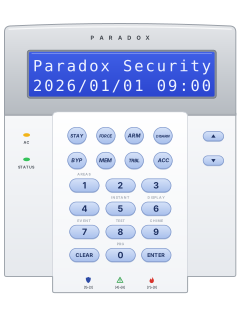
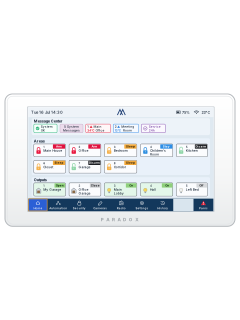
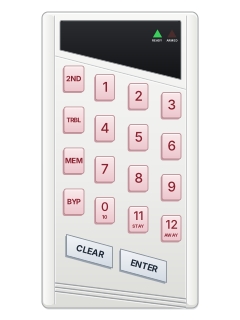
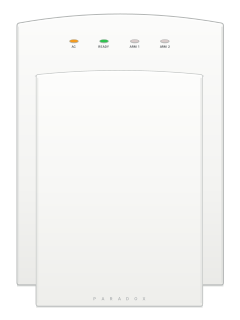
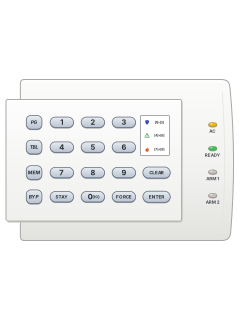
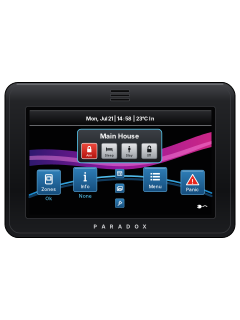
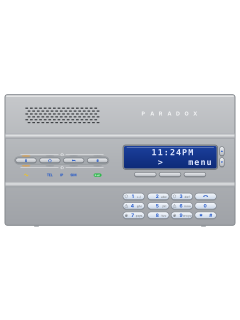
- Esprit E55 / E651 user guide, 1 installation manual and 2 more4 manuals
- K10 LED keypads1 quick guide1 manual
- K70M touchscreen1 installation manual1 manual
- K656 Touch Sense keypad1 user guide1 manual
- Magellan MG60601 user guide1 manual
- IP & cellular modules1 quick guide, 5 installation manuals and 29 more35 manuals
Is anyone watching your alarm?
An alarm that only makes a noise relies on someone hearing it. A monitored alarm reports to our A1 graded, NZSA approved control room, watched 24/7 by a team that is New Zealand owned and operated. We can monitor most existing alarms, so you may not need a new one. Thinking about a new alarm or security cameras? Ask us for a quote.
Prefer to talk now? Call us on 0800 339 999.
Home: alarm monitoringBusiness: business monitoringInstaller: bureau monitoring


Manuals are the property of their manufacturers and are provided for reference only; their inclusion here does not imply any endorsement by the manufacturer.