
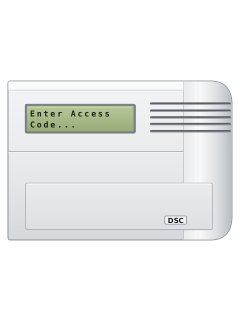
Wireless LCD keypad

DSC WLS900 manuals
Start hereWLS900 User manualUser guide · 28 pages · 1.2 MBRead it nowKeypad cheat sheet
Arm (away)#your codethe key with an up arrow on it
- Open the WLS900 keypad flap. Press [#] to wake it, then key in your code; [#] clears a mistake.
- When Arm System in Away Mode Y/N? appears, press the up-arrow key for Yes. All zones are armed.
- System Armed Exit Delay On shows. Leave before the exit time ends.
- The sounder beeps each second for the last 30 seconds, then twice a second for the last 10.
- An error tone means a zone is open. Key in your code, close that zone and arm again.
Pages 3 to 5 of the WLS900 User manualUp-arrow key Answers Yes to the displayed question Down-arrow key Answers No to the displayed question Arm while home#your codethe key with a down arrow on itthe key with an up arrow on it
- Open the WLS900 keypad flap. Up arrow means Yes; down arrow means No. Home mode leaves programmed inside zones off.
- Press [#] and key in your code. At Arm System in Away Mode Y/N?, press the down-arrow key.
- At Arm System in Home Mode Y/N?, press the up-arrow key.
- If Arm With Entry Delay Y/N? appears, up arrow keeps the delay; down arrow makes an entry door alarm immediately.
- Stay inside. If you later need to leave, disarm before opening a protected door, then arm again.
Pages 3, 5 of the WLS900 User manualUp-arrow key Answers Yes to the displayed question Down-arrow key Answers No to the displayed question Disarm#your code
- Come in through your entry door. Press [#] and key in your code before the steady entry tone ends.
- Disarming from inside with no entry delay? At Disarm System Y/N?, press the WLS900 up-arrow key for Yes.
- System Disarmed No Alarm Memory means nothing went off while armed.
- Arrived home to a sounding alarm? Stay outside and call for help from a neighbour's.
- False alarm? Enter your code at once. A report is cancelled only within the zone's programmed report delay.
Bypass a zone#your code
- Open the flap. Press [#] and key in your code to start; follow the questions below.
- Answer No to the arming questions until Bypass/Unbypass Zones Y/N? appears; press the up-arrow key.
- At Zone Bypass Y/N?, up arrow bypasses that zone; down arrow moves to the next. OP means open.
- At Unbypass Y/N?, up arrow restores that zone. Fire zones cannot be bypassed.
- A bypassed zone cannot cause an alarm. Bypasses clear when you next disarm.
Pages 3, 5, 12 of the WLS900 User manualUp-arrow key Answers Yes to the displayed question Down-arrow key Answers No to the displayed question Alarm memory#your code
- After disarming, Alarm in Memory means something went off. On WLS900, up arrow means Yes; down arrow means No.
- At View Alarm Memory Y/N?, press the up-arrow key. At Continue Y/N?, up arrow shows the next; down arrow finishes.
- To view memory later, open the flap, press [#], enter your code and answer No until View Alarm Memory Y/N? appears.
- ZONE [F], [A] or [P] means someone used that emergency key.
- Arming again clears memory and moves those alarms to Alarm History, which the master code can view.
Pages 3, 6 and 7, 10, 16 of the WLS900 User manualUp-arrow key Answers Yes to the displayed question Down-arrow key Answers No to the displayed question Chime on or off#master code
- Door chime sounds when selected sensors open and close while disarmed. Your installer chooses those sensors.
- Press [#] and enter the master code. Use the WLS900 down-arrow key for No until Turn Door Chime On Y/N? appears.
- Press the up-arrow key for Yes. The screen confirms that chime is on.
- When chime is on, the question changes to Turn Door Chime Off Y/N?; press up arrow to turn it off.
- Only the master code changes chime. Take care: Yes at an arming question arms the system.
Panic alarmholdP
- Hold [P] for 2 seconds. Your installer sets whether it's silent or sounds the sounder, and whether it's reported.
- Hold [F] for 2 seconds for a fire alarm, or [A] for a silent auxiliary alarm.
- Key in your code to silence a panic or fire alarm.
- After an auxiliary alarm is reported, the sounder gives several beeps.
- These keys may be switched off if the keypad is in a public place.
Change a code#master code
- Press [#] and enter the master code. On WLS900, down arrow means No; up arrow means Yes.
- Answer No until Edit Access Codes Y/N?, then Yes. At Add/Edit Codes Y/N?, answer Yes.
- Choose user 0 to 9, then enter the new 4-digit code. User 0 is the master. A dash marks a programmed user.
- To erase: answer No at Add/Edit Code Y/N?, Yes at Erase Access Codes Y/N?, then enter the user number.
- The master code cannot be erased. Press the down-arrow key twice to leave.
Test the system#master code
- Press [#] and enter the master code. Use the WLS900 down-arrow key until Initiate User Walk Test Y/N?, then up arrow.
- While Walk Test Active shows, open each protected door and window; the sounder beeps for each.
- Lift each motion detector off its backplate and replace it. Walk across its coverage; its red light shows movement.
- Sensors do not alarm or report during the test, but [F], [A] and [P] still send real alarms. Press up arrow to finish.
- Enter walk-test mode before changing detector batteries to avoid false reports.
Trouble lights
- Double beeps every 10 seconds mean trouble. Open the flap, press [#] and key in your code to silence them.
- Press the down-arrow key for No until View System Trouble Y/N? shows, then the up-arrow key for Yes.
- Up arrow shows the next trouble; down arrow finishes. Trouble can affect protection even if you can still arm.
- Sensor faults, tamper faults and low sensor batteries have their own questions, such as View Sensor Faults Y/N?: up arrow lists them.
- If the checks below don't clear a trouble, call your installer.
Pages 3, 9 to 11, 13, 18 of the WLS900 User manualController Batt The controller's backup battery is low: call your installer Controller AC The controller has no mains power: check its transformer is plugged in Sounder 1 AC Flt, Sounder 2 AC Flt That sounder has no mains power: check its transformer at the wall and at the unit Telephone Line The phone line is disconnected: check it's plugged into the controller Fail to Com The controller couldn't call the monitoring station: call your installer Loss of Clock All power was lost: set the date and time again (master code, Reset Clock) Sensor Low Batt, Sensor Faults Change or check the batteries in the detectors it lists Tamper Faults Check the detectors it lists are properly on their backplates
Why is my keypad beeping or showing a trouble light?
Most keypads beep or light up a trouble indicator when something needs attention, such as a low backup battery, a power cut or a lost phone or internet connection. Your user guide explains what each light or code means on your model. If it keeps happening, or you are not sure, call your installer or monitoring company.
All DSC WLS900 manuals
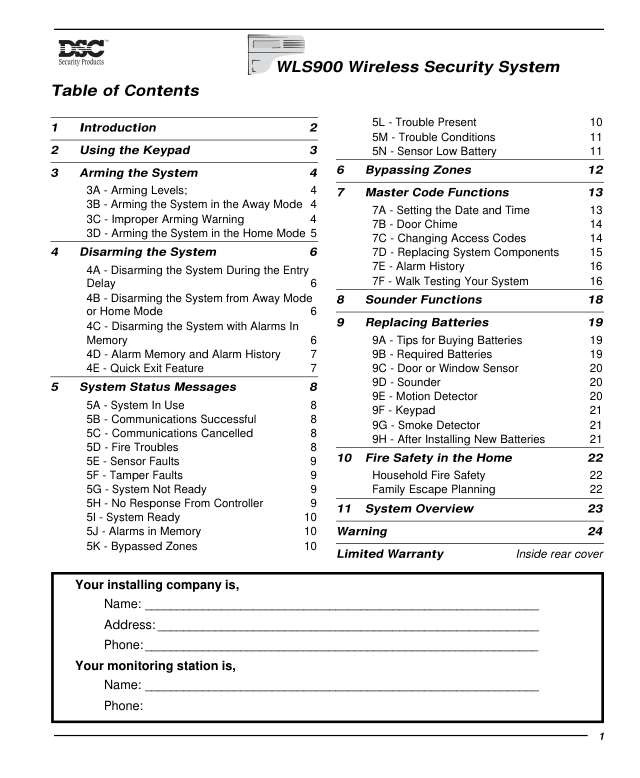
User guides 1
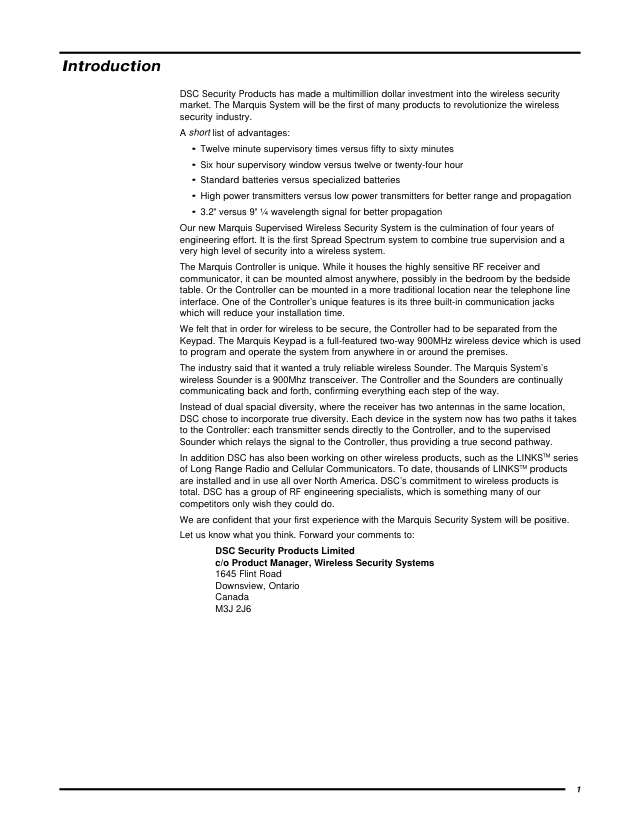
Installer manuals 1
Nothing here matches that.
Try a shorter search, or search every brand.
More DSC models

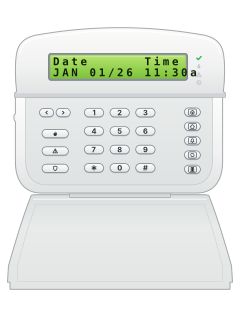
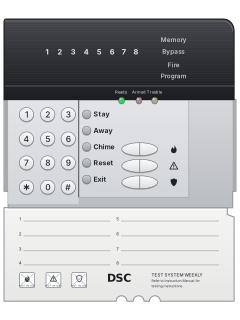
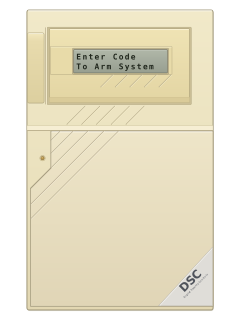
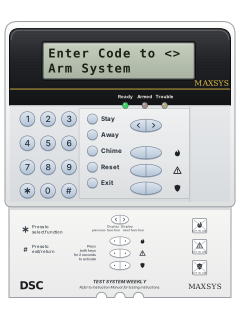
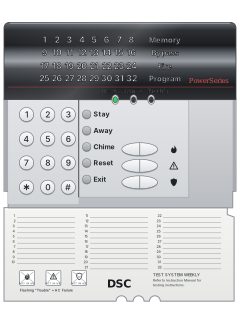
PowerSeries PC5532Z LED keypad, flap open (PC5516Z keys are the same)
PowerSeries PC5010 / PC5020 / 832
21 manuals
Also fitsPC1565, 4 manuals
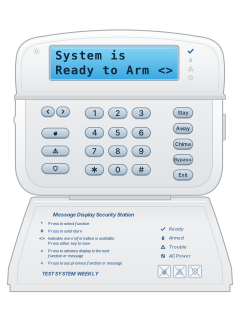
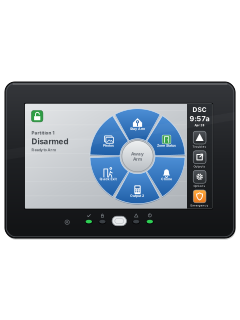
- Wireless2 user guides, 3 installation manuals and 2 more7 manuals
- Keypads1 user guide and 4 other manuals5 manuals
- Envoy1 user guide, 1 installation manual and 2 more4 manuals
- Impassa1 user guide and 3 installation manuals4 manuals
- PC10001 user guide and 1 installation manual2 manuals
- PC14041 user guide and 1 installation manual2 manuals
- PC20001 installation manual and 1 manual2 manuals
- SCW9045 / SCW90471 installation manual1 manual
- IP & cellular modules1 quick guide, 4 installation manuals and 9 more14 manuals
Is anyone watching your alarm?
An alarm that only makes a noise relies on someone hearing it. A monitored alarm reports to our A1 graded, NZSA approved control room, watched 24/7 by a team that is New Zealand owned and operated. We can monitor most existing alarms, so you may not need a new one. Thinking about a new alarm or security cameras? Ask us for a quote.
Prefer to talk now? Call us on 0800 339 999.
Home: alarm monitoringBusiness: business monitoringInstaller: bureau monitoring

Manuals are the property of their manufacturers and are provided for reference only; their inclusion here does not imply any endorsement by the manufacturer.